logo
For Power BI
  • Products
    • Custom Visuals for Power BI
    • Report Templates
  • Resources

      Resources

    • Documentation
    • Report Examples
    • Blog
    • Webinars
    • Video Tutorials
    • Visuals Gallery

    Support

    • ZoomCharts Assistance
    • Contact Sales
    • Contact Support
    • FAQ

    Challenges

    Challenges

    Improve your report creation skills by participating in free challenges for report creators.

    Learn more
    Get Developer License
  • Services
    • Power BI Report Development
    • Custom Visual Development
  • Challenges
  • Pricing
Request a quote Get Developer License Sign in
Request a quote Book a Demo Get Developer License Sign in
Get it now
Go back

Contents

Reset your password

We'll email you instructions on how to reset your password

Go back

Share

Logo

Pharmacy Sales & Profitability Data Challenge

Jan 05 - Feb 27, 2026 | EST

Analyze European pharmacy chain data, build stunning Power BI reports, and compete for a $300 prize.

Timeline

Registration Open

Registration Open

05 January | 03:00

-

Submissions Open

Submissions Open

05 January | 03:00

-

Workshop | Building Insightful Pharmacy Sales & Profitability Dashboards in Power BI

Workshop | Building Insightful Pharmacy Sales & Profitability Dashboards in Power BI

15 January | 08:00

-

1:1 Mentoring Sessions

1:1 Mentoring Sessions

15 January | 08:00

05 January - 20 February

Entry Submission Deadline

Entry Submission Deadline

20 February | 18:59

05 January - 20 February

Webinar | Top 5 Pharmacy Sales & Profitability Reports: Power BI Best Practices Review

Webinar | Top 5 Pharmacy Sales & Profitability Reports: Power BI Best Practices Review

27 February | 07:00

05 January - 20 February
Winner Announced

Winner Announced

27 February | 08:00

05 January - 20 February

Dataset

Get the dataset

See past Onyx Data challenges

See past challenges

Share the challenge

Submitted Reports
About challenge
How to participate
The Brief
Judging criteria
Timeline
Dataset
Past challenges

Winner of the challenge

Report Card

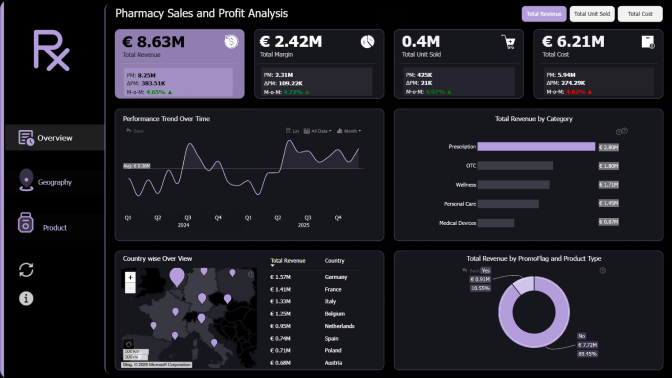
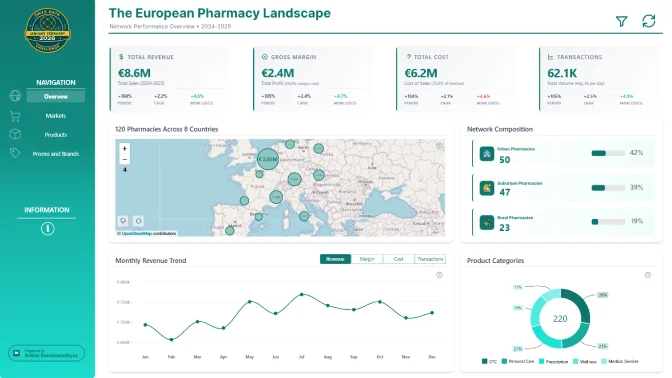
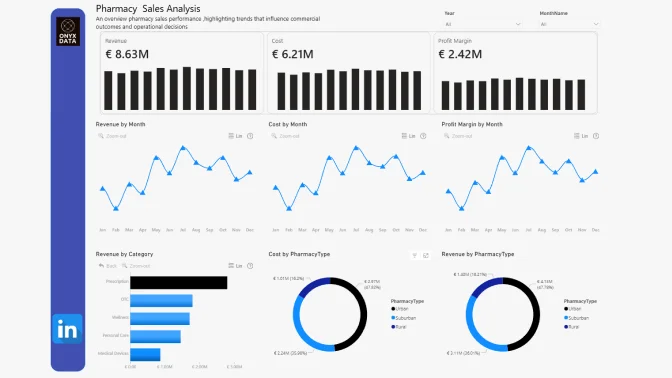
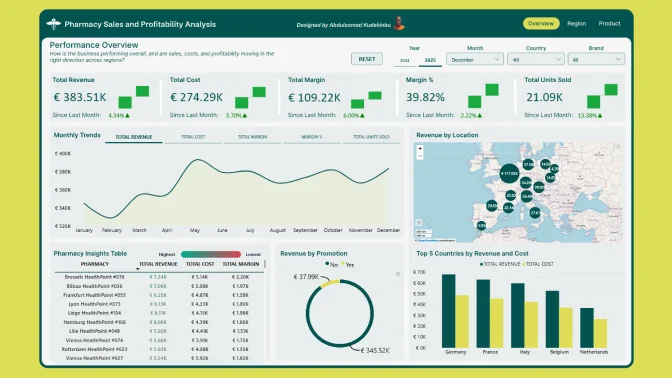
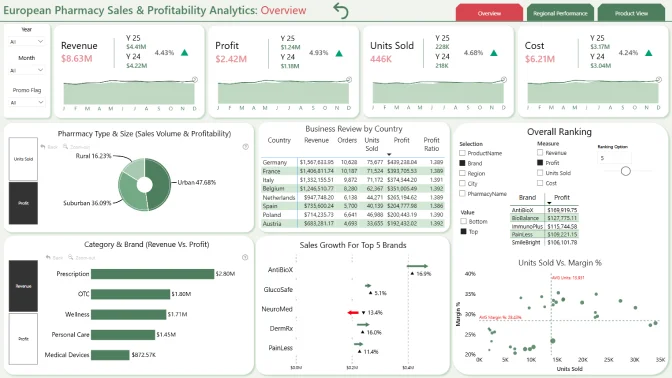
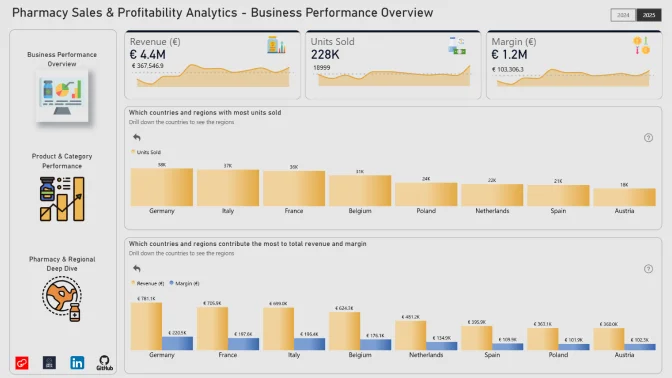
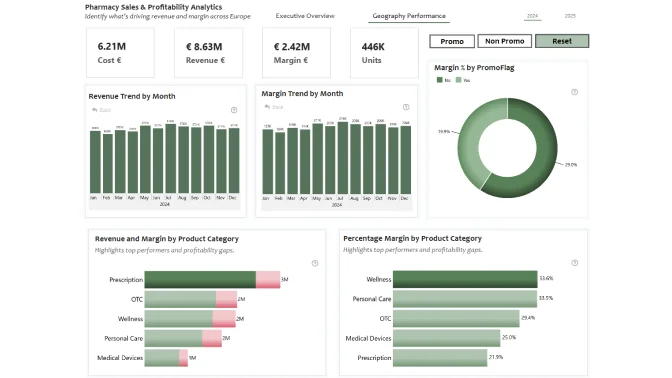
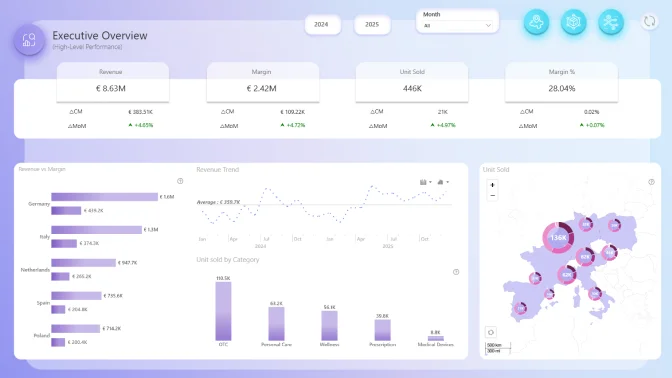
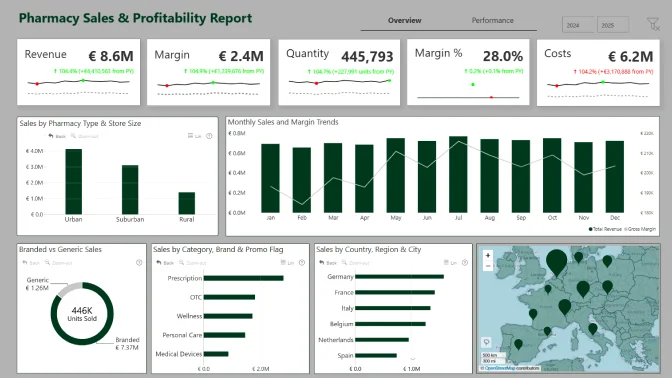
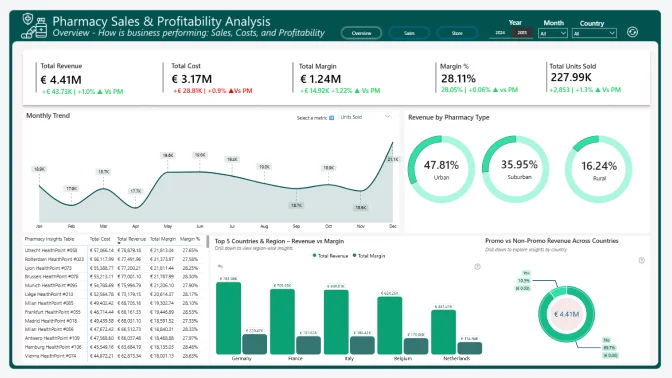
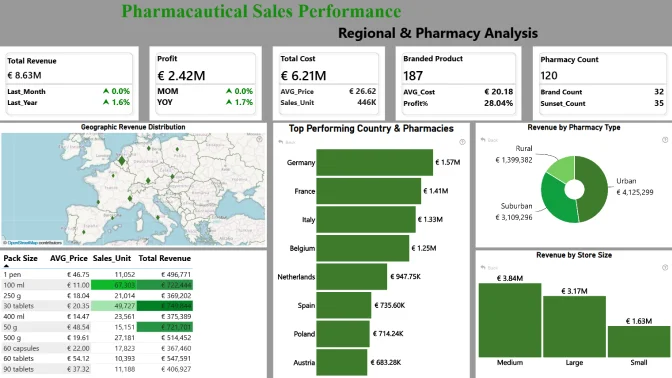
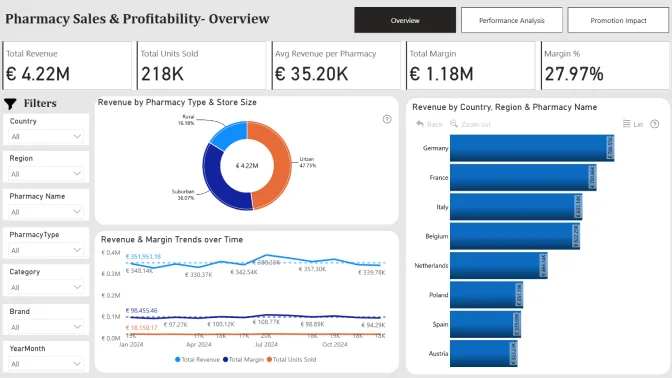
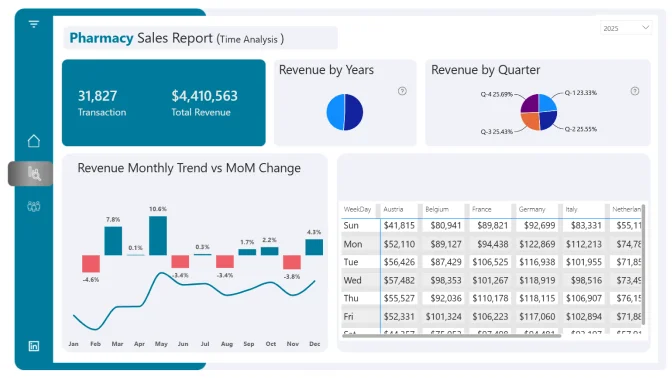
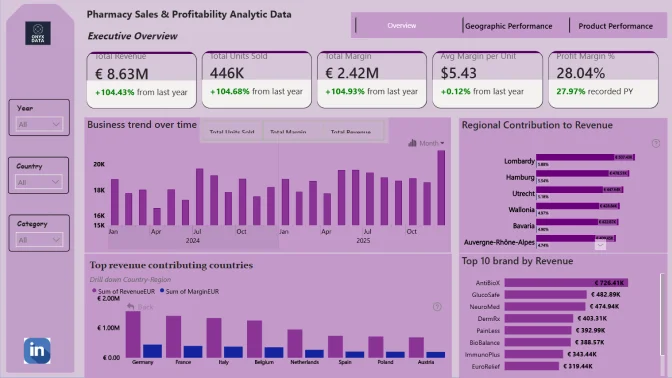
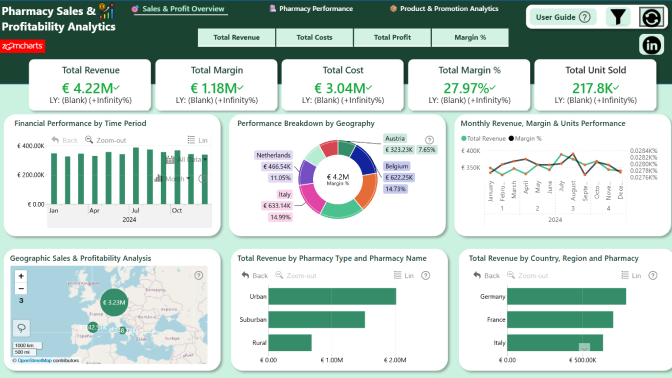
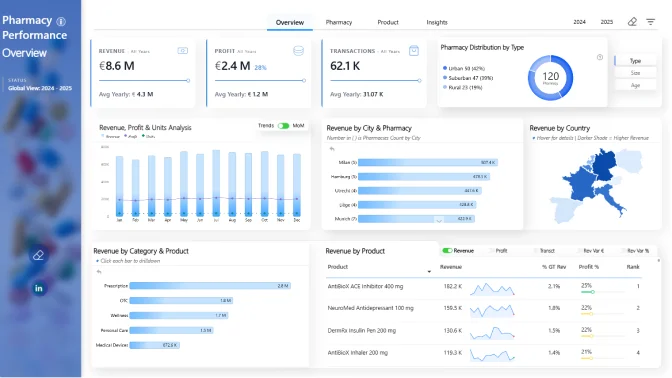
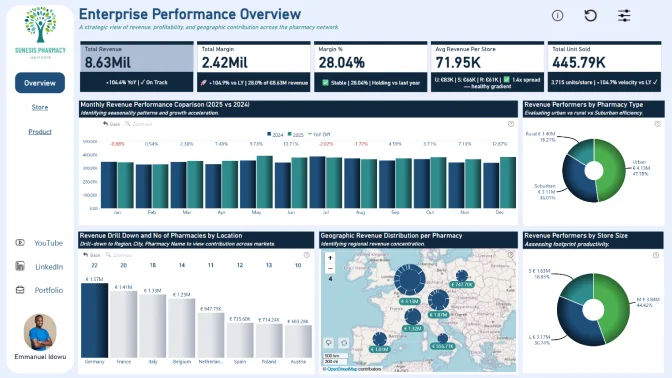
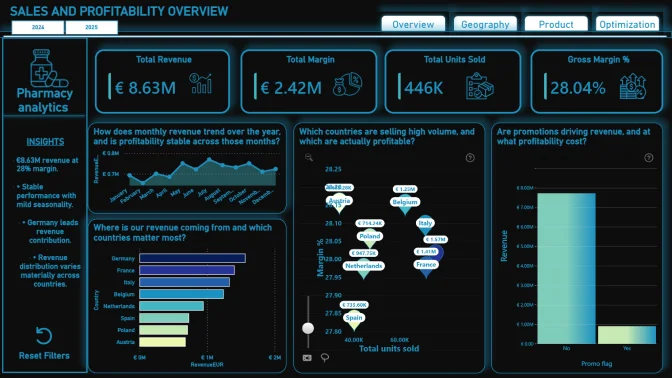
Pharma Sales Power BI Report

Author: Odunlami Zainab

34

View Report

All Submissions

Report Card

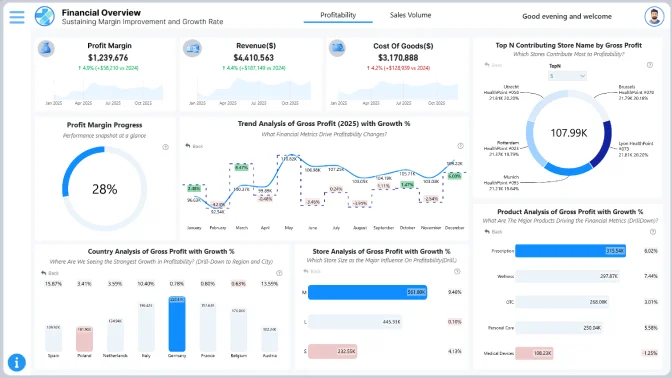
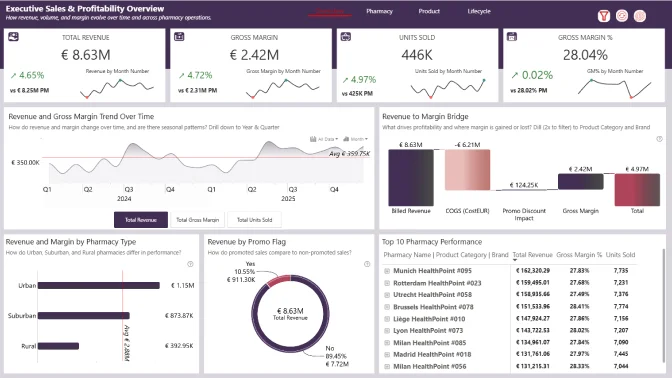
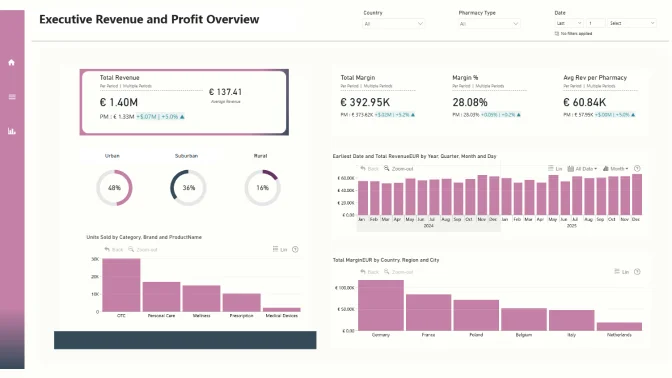
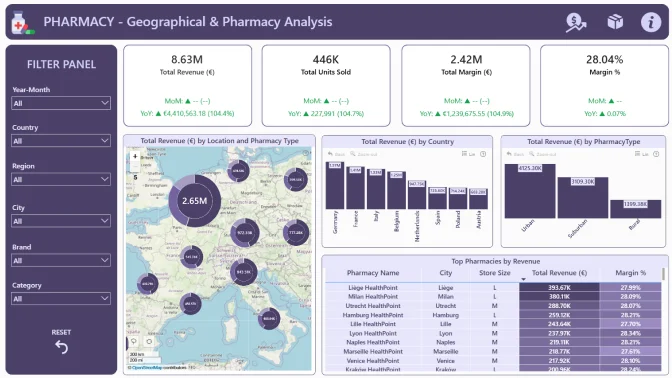
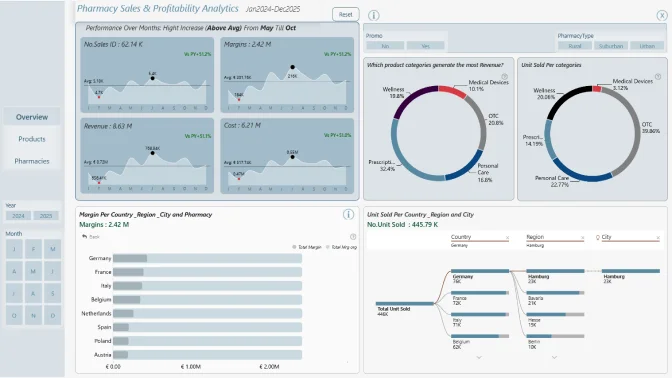
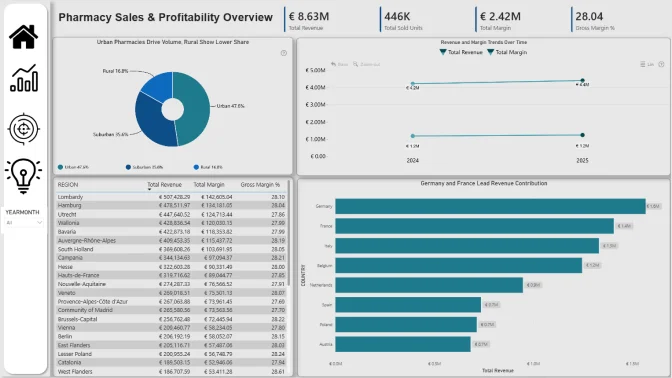
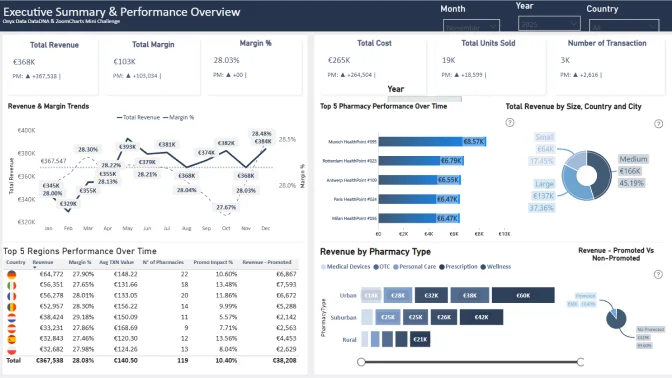
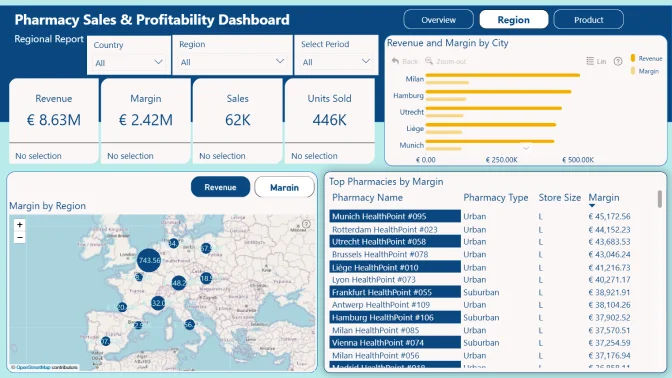
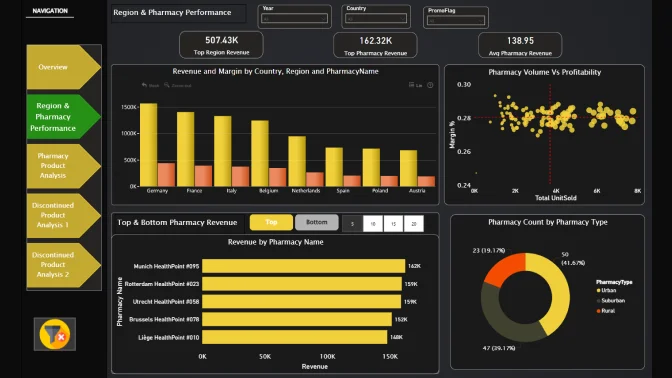
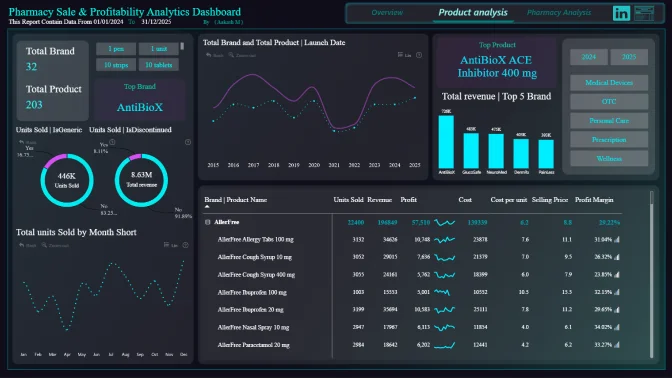
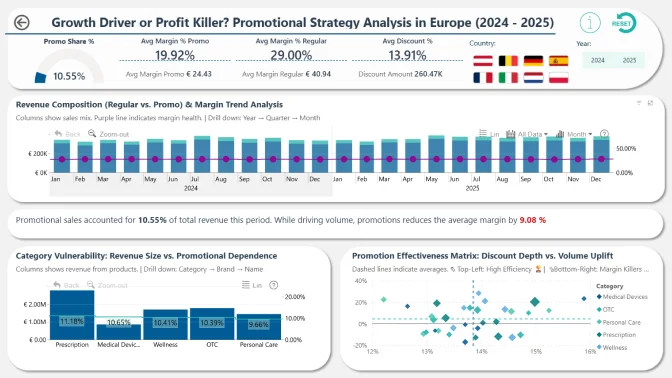
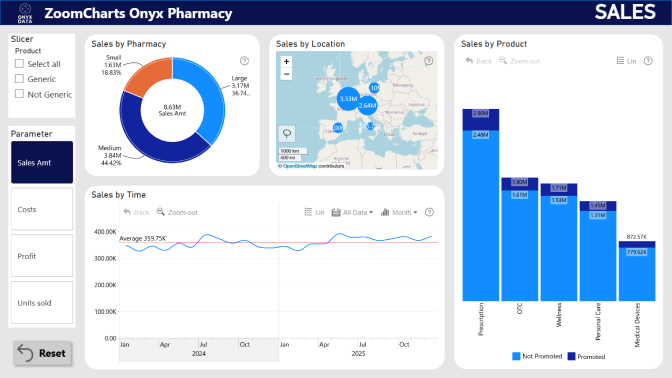
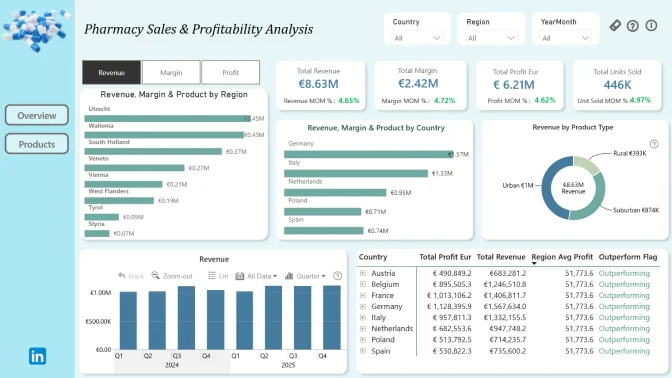
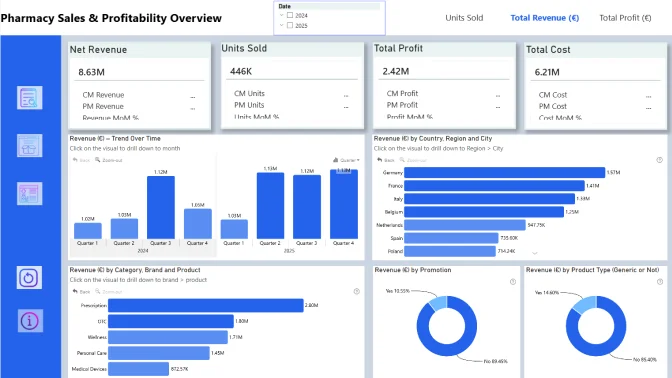
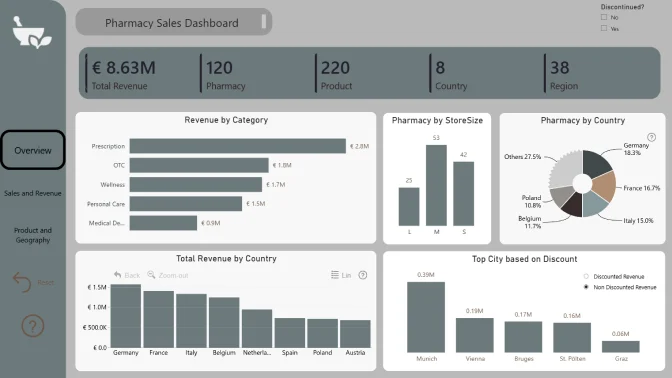
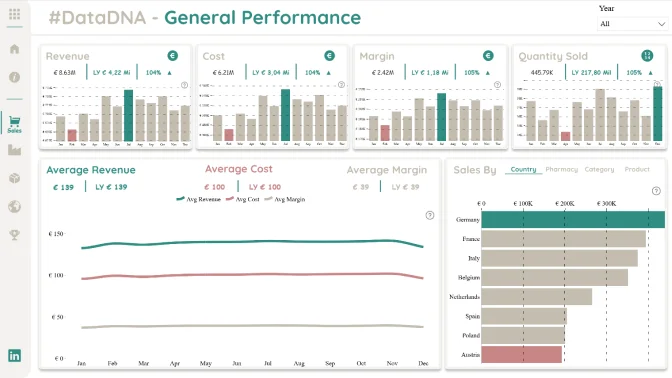
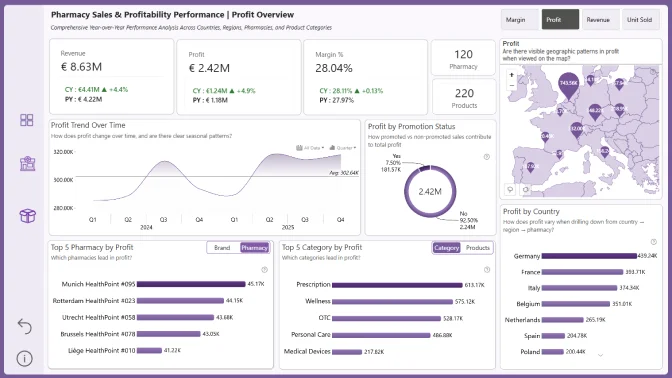
Pharmacy Sales Power BI Dashboard

Author: Akhilesh Raut

28

View Report
Report Card

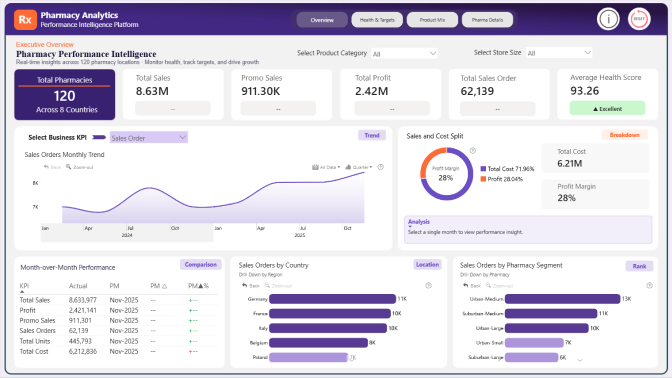
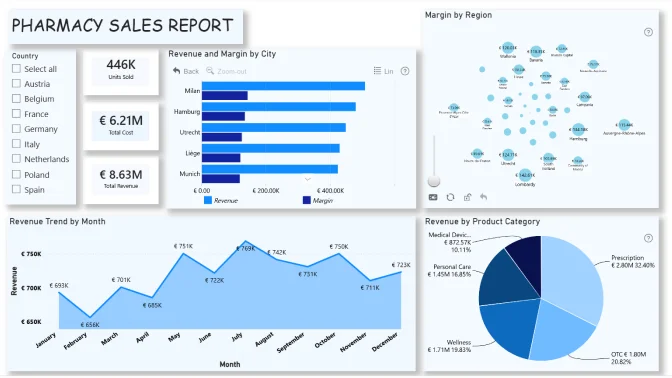
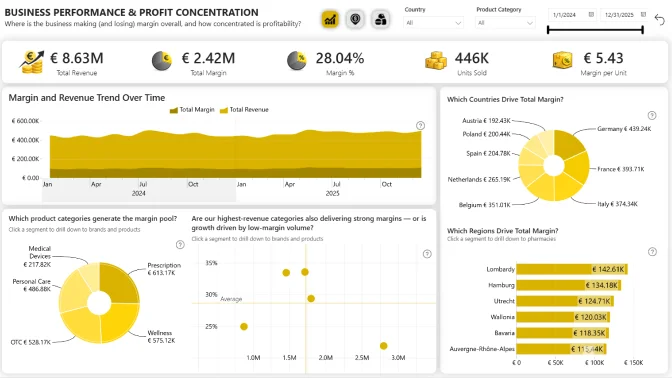
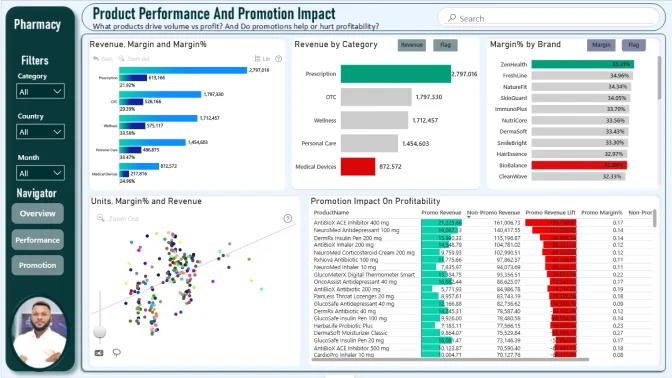
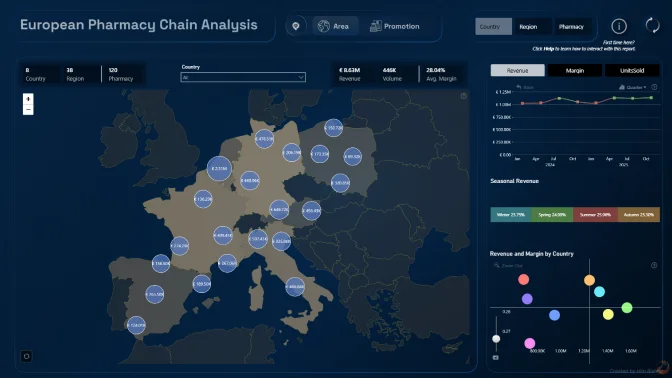
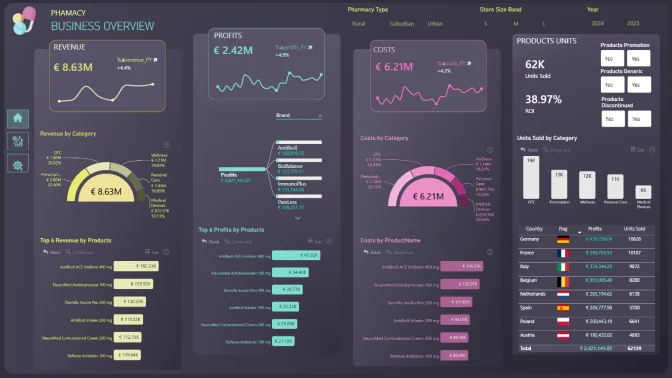
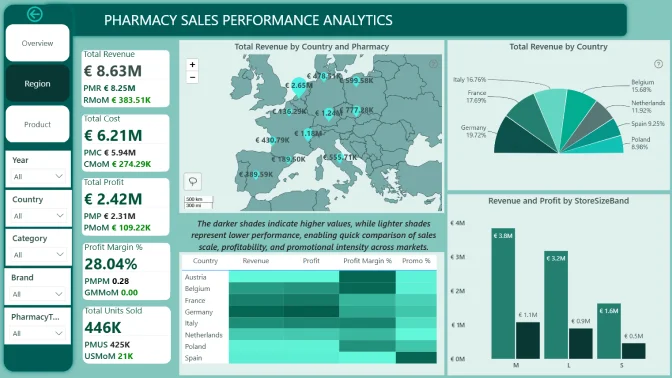
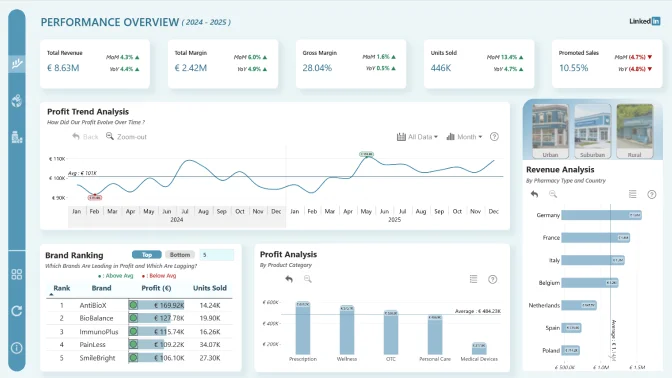
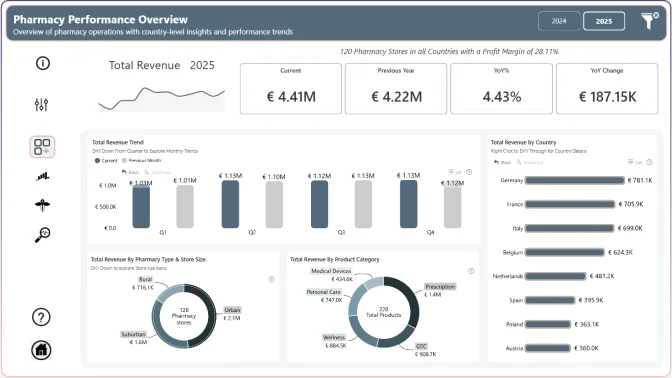
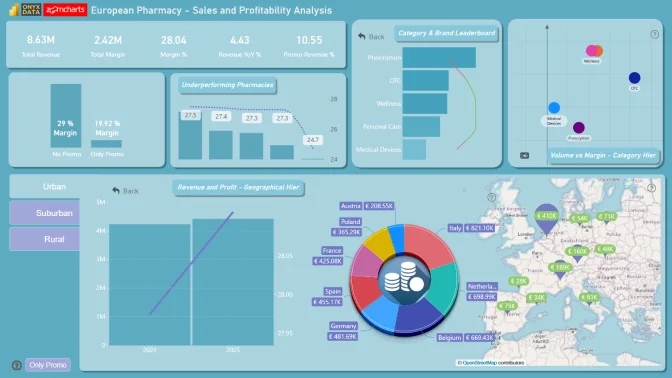
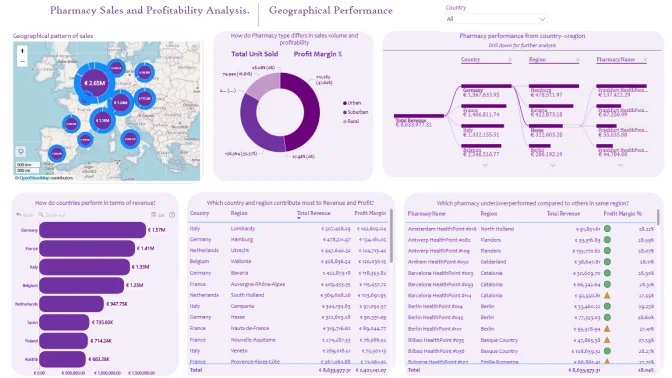
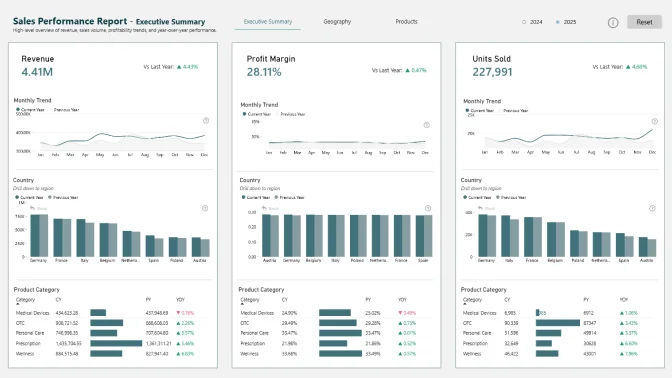
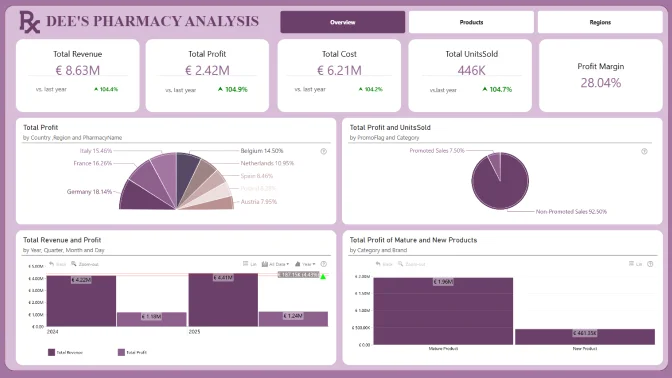
Pharma Sales Profitability Report

Author: Kapila Karunakaran

18

View Report
Report Card

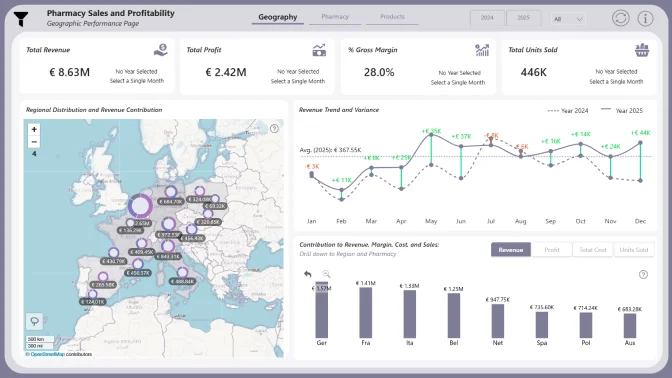
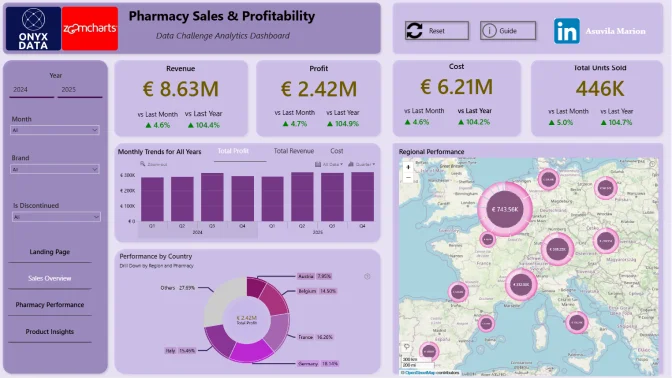
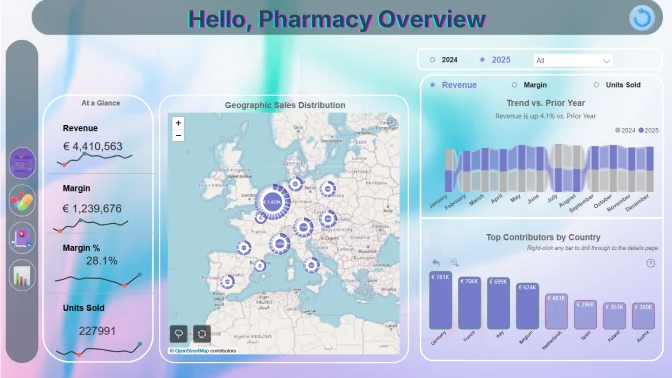
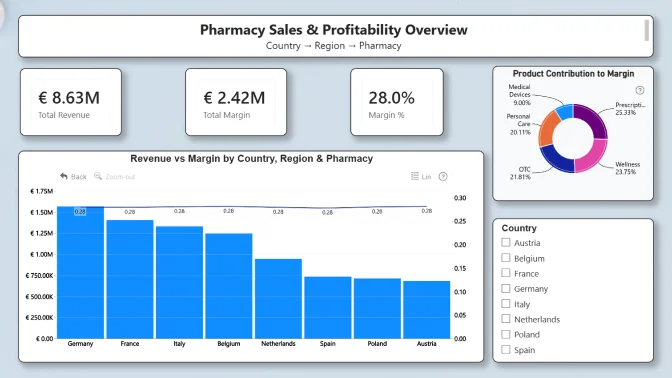
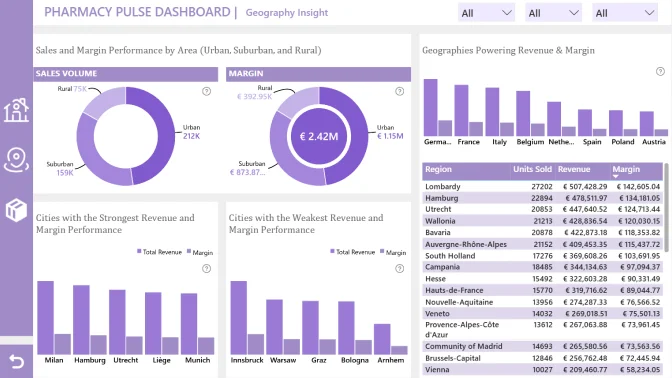
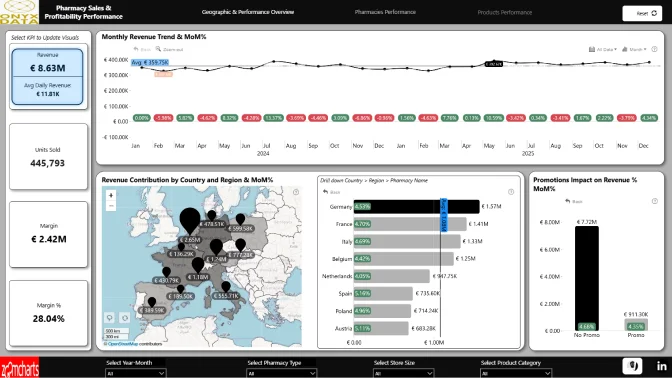
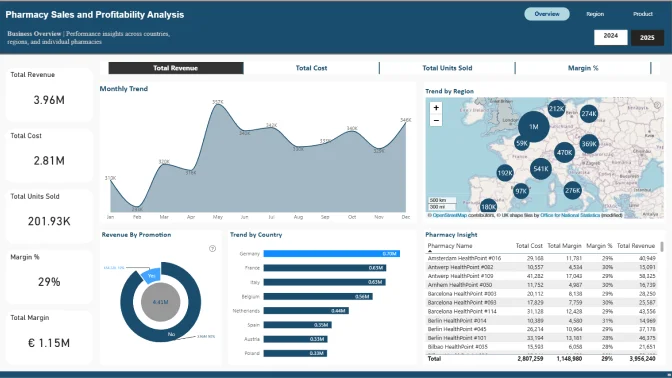
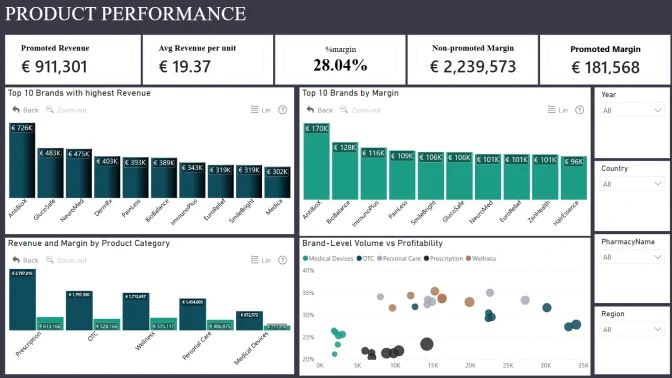
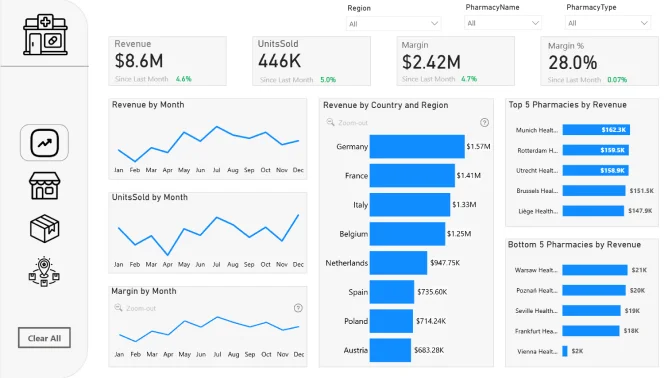
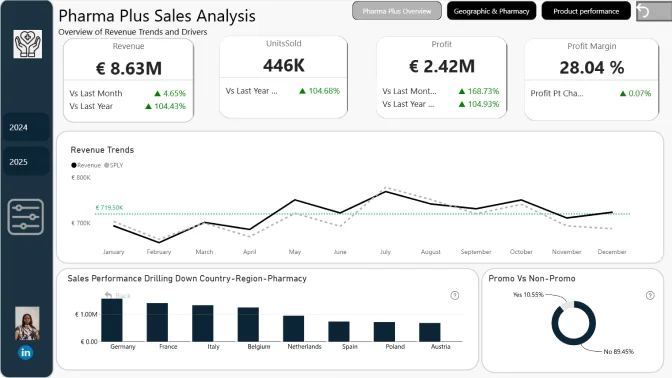
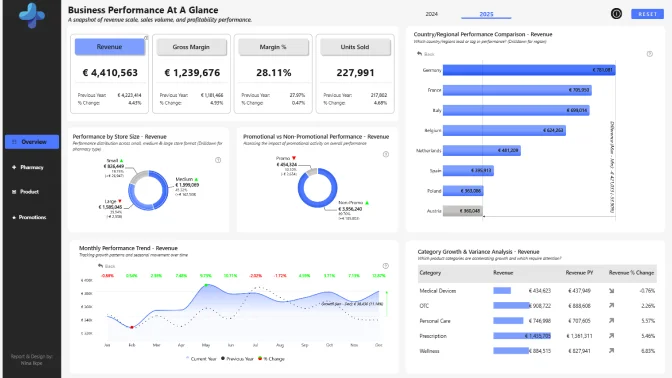
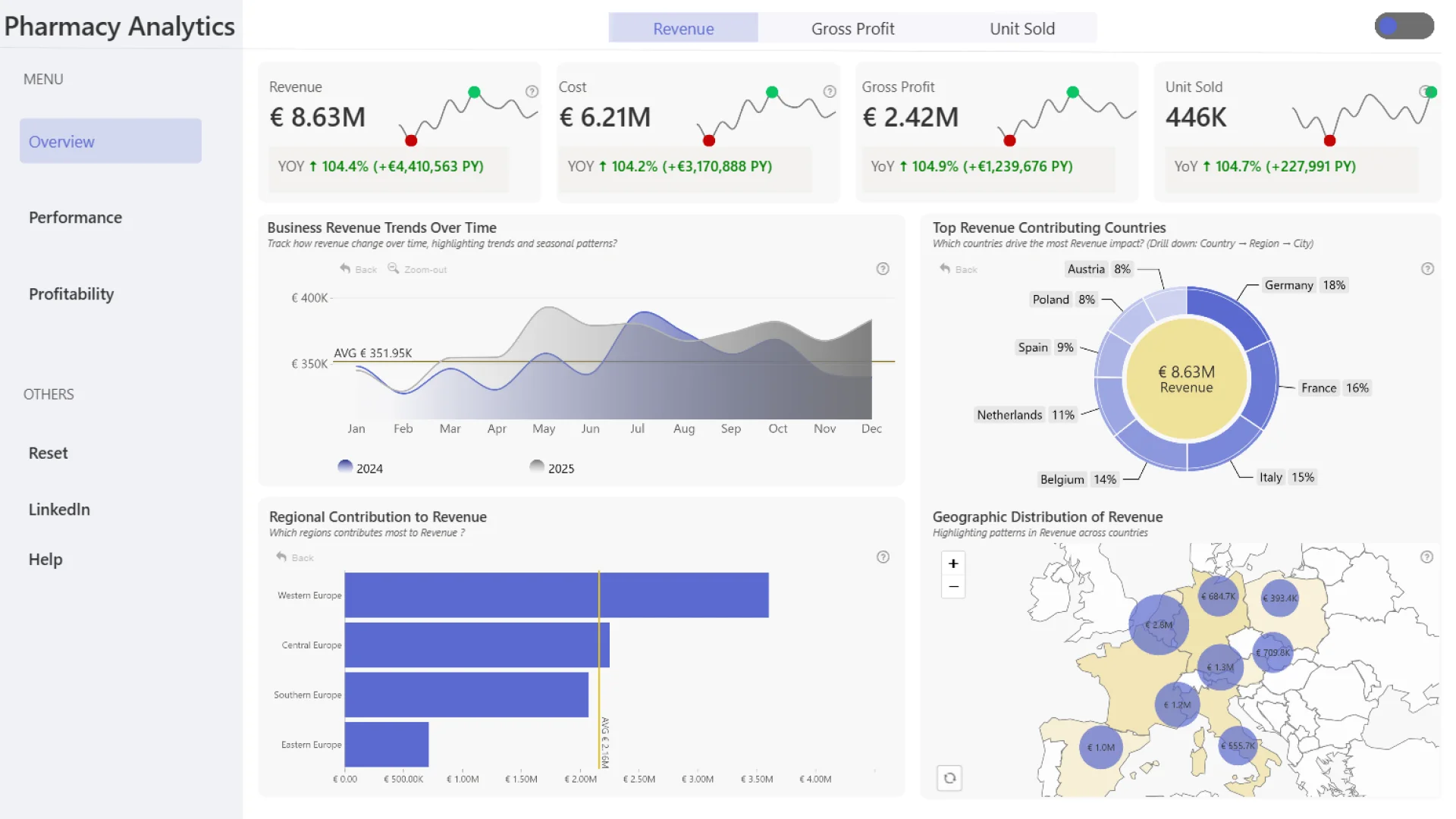
Pharma Sales Profitability Report

Author: Eniola AbdulRasaq Adekoya

23

View Report
Report Card

Pharma Sales Power BI Dashboard

Author: Okeh Dono Efasa

30

View Report
Report Card

Pharmacy Sales Power BI Dashboard

Author: Jude Onuh

16

View Report
Report Card

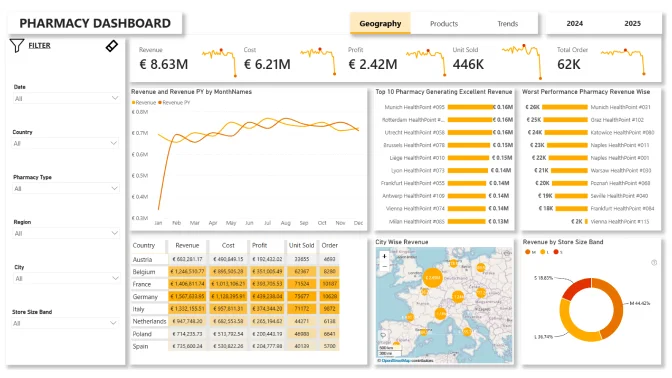
Pharma Sales Profitability Report

Author: Ankan Bandyopadhyay

16

View Report
Report Card

Pharma Sales Power BI Dashboard

Author: Akindele Omolayo

10

View Report
Report Card

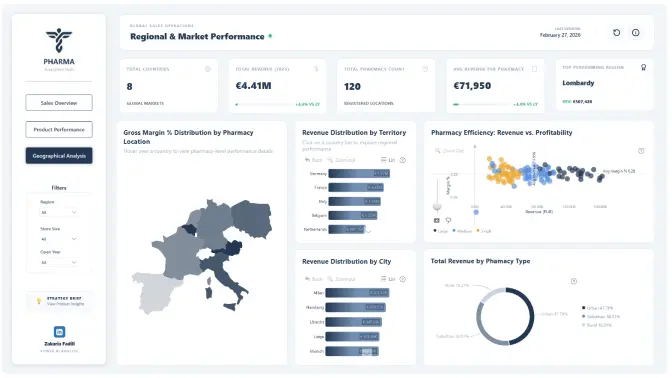
Pharmacy Sales Power BI Dashboard

Author: Zakaria Fadili

8

View Report
Report Card

Pharmacy Sales Power BI Report

Author: Ansari Shaheryar

0

View Report
Report Card

Pharmacy Sales Power BI Dashboard

Author: Sherif Olalekan

0

View Report
Report Card

Pharma Sales Power BI Dashboard

Author: Obinna Nweke

0

View Report
Report Card

Pharma Sales Profitability Report

Author: Suleman Abdulmalik

0

View Report
Report Card

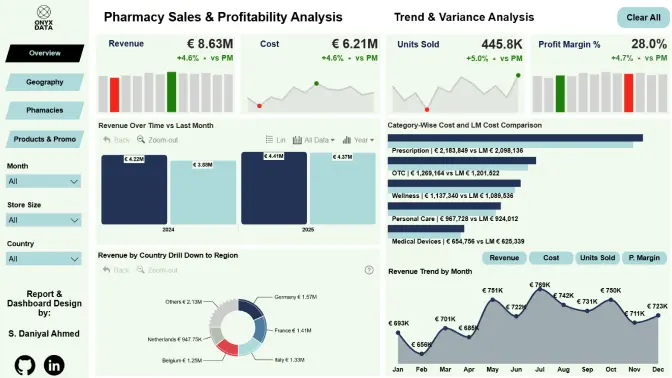
Pharmacy Sales and Profitability Analysis

Author: Syed Daniyal Ahmed

0

View Report
Report Card

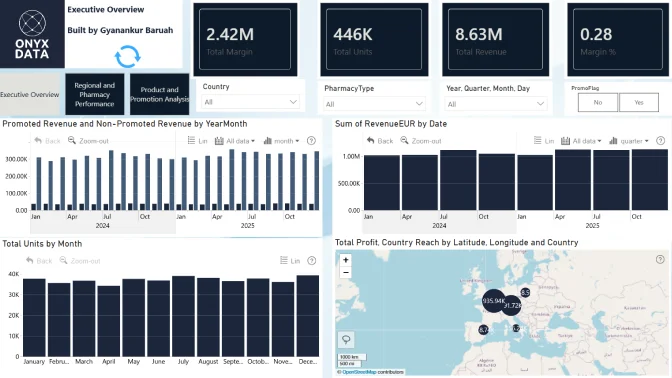
Pharma Sales Profitability Report

Author: Gyanankur Baruah

1

View Report
Report Card

Pharmacy Sales and Profitability Analysis

Author: Abdulsamad Kudehinbu

1

View Report
Report Card

Pharma Sales Power BI Dashboard

Author: Akashdeep Dam

1

View Report
Report Card

Pharmacy Sales and Profitability Analysis

Author: Gori Omotola

0

View Report
Report Card

Pharma Sales Power BI Dashboard

Author: Asuvila Marion

2

View Report
Report Card

Pharmacy Sales and Profitability Analysis

Author: Mohamed Shaheen

0

View Report
Report Card

Pharma Sales Power BI Report

Author: Rahaf Ebraheem

0

View Report
Report Card

Pharma Sales Power BI Dashboard

Author: Jonathan Slattery

0

View Report
Report Card

Pharmacy Sales Power BI Report

Author: Sukesh Kumar

0

View Report
Report Card

Pharmacy Sales and Profitability Analysis

Author: Tiago Bento

1

View Report
Report Card

Pharma Sales Power BI Report

Author: Amit Mishra

1

View Report
Report Card

Pharmacy Sales & Profitability Analytics Data Challenge

Author: Kolawole Olajide

0

View Report
Report Card

Pharma Sales Power BI Dashboard

Author: Duduzile Sibeko

0

View Report
Report Card

Pharma Sales Profitability Report

Author: Inosimeh Barisua

0

View Report
Report Card

Pharmacy Sales and Profitability Analysis

Author: Mohamed Kadri

0

View Report
Report Card

Pharmacy Sales Power BI Report

Author: Him Tsang

0

View Report
Report Card

Pharma Sales Power BI Dashboard

Author: Oyekunle Oyelude

0

View Report
Report Card

Pharmacy Sales Power BI Dashboard

Author: Oladimeji Michael

0

View Report
Report Card

Pharmacy Sales and Profitability Analysis

Author: Abhijit Basak

1

View Report
Report Card

Pharma Sales Power BI Dashboard

Author: Chizubelu Ezeanolue

0

View Report
Report Card

Pharma Sales Profitability Report

Author: Kudzaishe Manyanya

0

View Report
Report Card

Pharmacy Sales and Profitability Analysis

Author: Nnamdi Nwankwo

0

View Report
Report Card

Pharma Sales Profitability Report

Author: Iman Ngwepe

0

View Report
Report Card

Pharmacy Sales Power BI Report

Author: Kaviya S

0

View Report
Report Card

Pharma Sales Power BI Dashboard

Author: Patience Calvin

0

View Report
Report Card

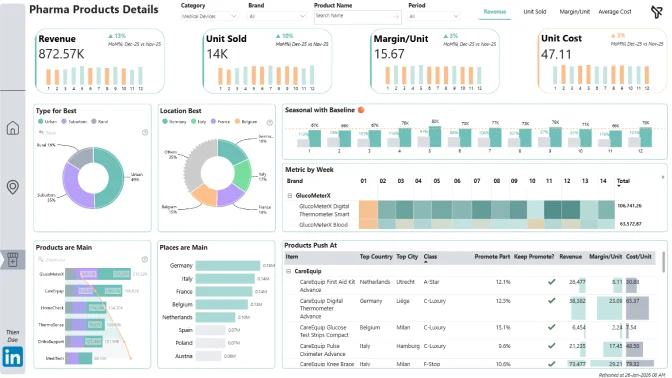
Pharma Sales Profitability Report

Author: Thien Dao

1

View Report
Report Card

Pharmacy Sales Power BI Dashboard

Author: Brian Ochigbo Sule

1

View Report
Report Card

Pharma Sales Profitability Report

Author: Carly Baez Mejía

2

View Report
Report Card

Pharma Sales Profitability Report

Author: Mohammed Abbakar

0

View Report
Report Card

Pharmacy Sales and Profitability Analysis

Author: Nick Nico

0

View Report
Report Card

Pharmacy Sales Power BI Report

Author: Aakash M

2

View Report
Report Card

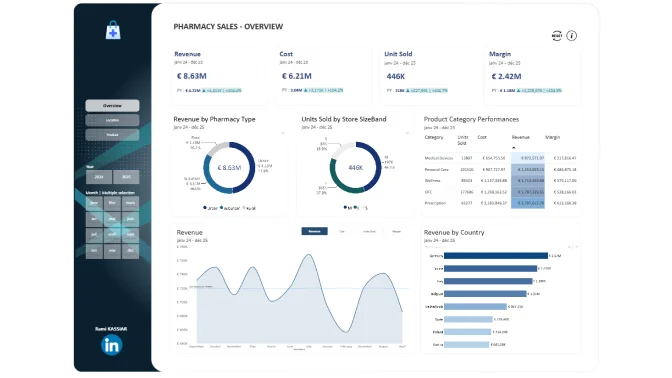
Pharmacy Sales Power BI Report

Author: Rami Kassiar

1

View Report
Report Card

Pharma Sales Profitability Report

Author: Isteejabah Gbadebo

0

View Report
Report Card

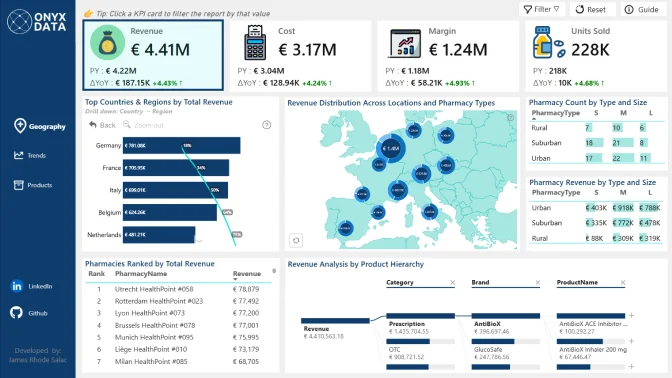
Pharma Sales Power BI Dashboard

Author: James Rhode Salac

0

View Report
Report Card

Pharma Sales Power BI Report

Author: Yuvaraj M

0

View Report
Report Card

Pharmacy Sales and Profitability Analysis

Author: Karolina Grzybek

0

View Report
Report Card

Pharmacy Sales Power BI Report

Author: Ishita Chowdhury

2

View Report
Report Card

Pharmacy Sales and Profitability Analysis

Author: Julie Ann CARATAO

0

View Report
Report Card

Pharma Sales Power BI Dashboard

Author: Ugo Ukonu

0

View Report
Report Card

Pharma Sales Power BI Dashboard

Author: Admire Masaga

0

View Report
Report Card

Pharma Sales Profitability Report

Author: Ugochukwu Nwasuruba

0

View Report
Report Card

Pharmacy Sales and Profitability Analysis

Author: Adaobi Roseline Ezechukwu

0

View Report
Report Card

Pharmacy Sales Power BI Report

Author: Aman Goyal

0

View Report
Report Card

Pharma Sales Profitability Report

Author: Anushree Dhomne

0

View Report
Report Card

Pharmacy Sales Power BI Dashboard

Author: Abinash Nandan Jena

0

View Report
Report Card

Pharma Sales Profitability Report

Author: Manav Gulati

2

View Report
Report Card

Pharma Sales Power BI Dashboard

Author: Abigail Adeleye

0

View Report
Report Card

Pharmacy Sales Power BI Report

Author: Agbata Dickson Ukolojo

2

View Report
Report Card

Pharma Sales Power BI Report

Author: AravindTeja Bastipadu

1

View Report
Report Card

Pharmacy Sales Power BI Report

Author: Yiwen Xu

0

View Report
Report Card

Pharmacy Sales and Profitability Analysis

Author: Megdamali Ali

0

View Report
Report Card

Pharmacy Sales and Profitability Analysis

Author: Yasmeen Amjad

0

View Report
Report Card

Pharma Sales Profitability Report

Author: Opeyemi Ayodeji

0

View Report
Report Card

Pharmacy Sales Power BI Report

Author: Mercy Chukwu

0

View Report
Report Card

Pharmacy Sales and Profitability Analysis

Author: Zinnat Olaleye

0

View Report
Report Card

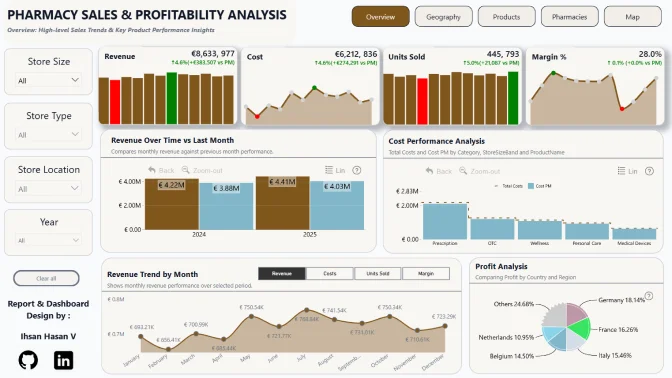
Pharma Sales Power BI Dashboard

Author: Ihsan Hasan v

0

View Report
Report Card

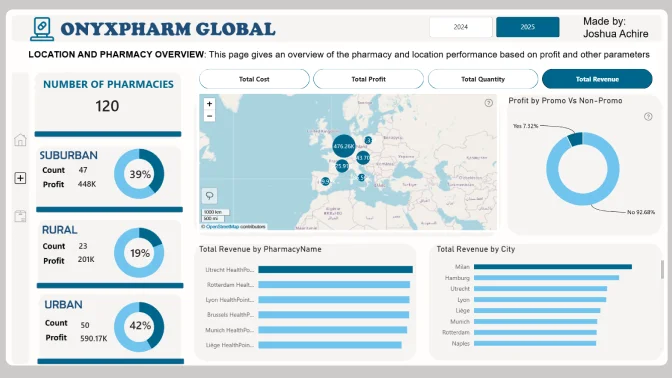
Pharmacy Sales Power BI Report

Author: Joshua Achire

0

View Report
Report Card

Pharma Sales Power BI Report

Author: Mister Zee

0

View Report
Report Card

Pharma Sales Profitability Report

Author: Revathi Ganesan

0

View Report
Report Card

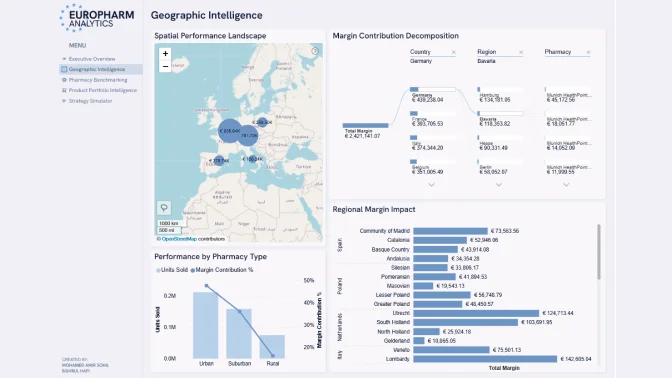
Pharma Sales Profitability Report

Author: Mohamed Amir Sohil Bishrul Hafi

0

View Report
Report Card

Pharma Sales Power BI Dashboard

Author: Victor Ofori Asante

0

View Report
Report Card

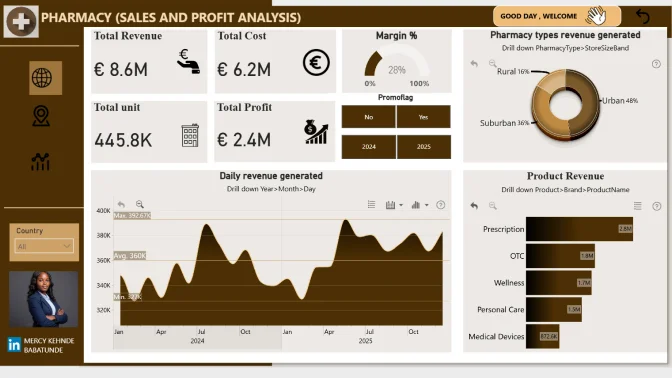
Pharmacy Sales and Profitability Analysis

Author: Mercy (Kehinde) Babatunde

0

View Report
Report Card

Pharma Sales Power BI Report

Author: Gad Shoaib

0

View Report
Report Card

Pharma Sales Profitability Report

Author: Alisson Floresta

0

View Report
Report Card

Pharma Sales Power BI Dashboard

Author: Eniola Kayode

1

View Report
Report Card

Pharmacy Sales Power BI Dashboard

Author: Nina Ikpe

1

View Report
Report Card

Pharmacy Sales and Profitability Analysis

Author: Emmanuel Idowu

0

View Report
Report Card

Pharma Sales Profitability Report

Author: Abu Bakar awan

0

View Report
Report Card

Pharmacy Sales and Profitability Analysis

Author: Issa Kareem Oyaifo

0

View Report
Report Card

Pharmacy Sales and Profitability Analysis

Author: MoeKyiHtwe Htwe

0

View Report
Report Card

Pharma Sales Profitability Report

Author: Adithi Sreenath

0

View Report
Report Card

Pharmacy Sales and Profitability Analysis

Author: ATHIRA M N

1

View Report
Report Card

Pharmacy Sales and Profitability Analysis

Author: Taiwo Sunmonu

0

View Report

About ZoomCharts Mini Challenge

🏆 Main Prize: $300 Amazon Gift Card
Read about all prizes of Onyx Data #DataDNA challenge here.

ZoomCharts Mini Challenge is part of the global DataDNA – Dataset Challenge by Onyx Data, which unites 25K+ data enthusiasts worldwide, ranging from beginners to seasoned professionals, including Microsoft MVPs. Read more about the DataDNA challenge on the Onyx Data DataDNA website. Join the community on LinkedIn.

Benefits of Joining DataDNA ZoomCharts Mini Challenge:

  1. Workshops & 1:1 Mentoring: Learn directly from experienced Power BI professionals through live workshops on report-building best practices, 1:1 mentoring sessions to review your report, and get tailored advice.
  2. Get Personal Feedback: Every participant receives detailed, personalized feedback on their report - a great opportunity to improve based on real input from seasoned analysts.
  3. Free ZoomCharts Visuals License: All participants get a ZoomCharts Developer License (worth hundreds of dollars) that gives full access to the Drill Down PRO visuals library.
  4. Free Report Downloads: Each challenge participant with a validated report will receive 5 free downloads from the Power BI Report Gallery.

Special Prizes for ZoomCharts Mini Challenge Finalists 🏆

  • The best report using ZoomCharts visuals will receive a $300 Amazon Gift Card.
  • Being selected in the Top 5 will grant you +10 free downloads from the Power BI Report Gallery.

Join LIVE Winner Announcement event on February 27 during a special live webinar session, where experts will review the Top 5 entries from the challenge.


Webinar recordings

Recording thumbnail

Building Insightful Pharmacy Sales & Profitability Dashboards in Power BI

Join this hands-on Power BI workshop to explore pharmacy sales and profitability data and learn how to design interactive, drillable reports with ZoomCharts.

Watch the recording
Recording thumbnail

Top 5 Pharmacy Sales & Profitability Reports: Power BI Best Practices Review

Join us as we review the top 5 Power BI reports from the Pharmacy Sales & Profitability Analytics challenge and highlight best practices in visualization and storytelling.

Watch the recording

How to Participate in the Onyx Data DataDNA & ZoomCharts Mini Challenge

1. Register for the Challenge

  • Register using the form above.

  • Activate your free ZoomCharts Drill Down Visuals Developer License for Power BI.

  • Download the challenge dataset from the Onyx Data DataDNA Main Challenge website here.


2. Build Your Report in Power BI

  • Add your ZoomCharts license to Power BI Desktop
    (watch the setup video or read the step-by-step guide).

  • Add ZoomCharts visuals from the Power BI visuals library or Microsoft Marketplace.

  • Use the dataset to build a Power BI report that includes at least two (2) ZoomCharts Drill Down Visuals on one report page.


3. Improve Your Report and Learn New Skills

  • Join the challenge workshop to learn how to use ZoomCharts visuals and the dataset.

  • If you need help, book a free consultation with the ZoomCharts team.

  • Browse past challenge submissions for inspiration and ideas.


4. Submit Your Challenge Entry

  • Upload your report in .pbix format using the submission form on this page.

If your report does not meet the challenge requirements:
You will receive an email explaining what needs to be fixed. You can update your report and submit it again.

Validation timeline:

  • Your report will be reviewed within 1–2 business days.

  • Once validated, you will receive a Publish to Web link you can share publicly or add to your portfolio.

  • You will also receive personalized feedback from the evaluation team within 1–2 business days.
    Use this to improve your report and resubmit before the deadline.

Note:
You can resubmit your entry as many times as needed before the final deadline.


5. Finalize Your Participation to Compete for Prizes

  • Share a LinkedIn post showing your finished report (image, screenshot, or video).

  • Tag @ZoomCharts and @OnyxData, and use the hashtags #dataDNA and #builtwithzoomcharts.

  • After posting, submit the LinkedIn post link to the Onyx Data DataDNA Main Challenge to enter the prize competition.

  • Follow both ZoomCharts and Onyx Data on LinkedIn.


6. Attend the Live Closing Webinar

  • The ZoomCharts team reviews and analyzes the Top 5 Mini Challenge entries during live webinar.

  • You will learn best practices, improvement tips, and see how others solved the challenge.

  • The winner of the best report receives a $300 Amazon gift card from ZoomCharts.

Technical requirements

  • Build your report using only Power BI
  • The number of pages in the report is not limited
  • At least one report page has to contain a minimum of 2 ZoomCharts Drill Down Visuals. See a practical guide on Drill Down Visuals here

The Brief

Pharmacy Sales & Profitability Analytics Data Challenge

In this challenge, you will analyze a dataset representing a European pharmacy chain distributor operating across multiple European countries. The dataset includes daily sales transactions by pharmacy and product, with supporting dimensions for time, geography and product hierarchy.

Your task is to build a Power BI report that helps stakeholders understand:

  • How sales and profitability vary across countries, regions, and individual pharmacies
  • How different product categories and brands perform in different locations
  • How regional performance contributes to overall business results

Key Questions:

  • How do revenue, units sold, and margin change over time, and are there clear seasonal patterns?
  • Which countries and regions contribute the most to total revenue and margin?
  • How does performance vary when drilling down from country → region → pharmacy?
  • Which pharmacies outperform or underperform compared to others in the same region?
  • How do Urban, Suburban, and Rural pharmacies differ in sales volume and profitability?
  • Which product categories and brands generate the most revenue, and which generate the most margin?
  • Are there products with high volume but low margin, or low volume but high margin?
  • How do promoted sales compare to non-promoted sales in terms of volume and margin?
  • How does regional performance contribute to overall business results?
  • Are there visible geographic patterns in sales or profitability when viewed on a map?

Note: These questions are starting points. Participants are encouraged to explore the dataset further and highlight patterns or comparisons that are not immediately obvious, as long as they are supported by the data.


Judging criteria

Business users use reports to make data-driven decisions. That’s why reports are called effective if they enable users to drill down and filter data quickly and intuitively to find answers to any question they might have, and analyse data in all possible directions and dimensions.

Each report is evaluated based on three main criteria: intuitiveness, insightfulness, and interactivity. These factors ensure that the reports are not only accurate and functional, but also meet the target audience's needs and are ready to be presented to the end-users. 


  1. Intuitive: How clear and easy it is to understand the report at a glance? (max 15 points)
    • Is the report visually appealing?
    • Choice of charts and visual elements
    • Does the report tell a story?
    • Is it not overwhelming to the user?
    • Choice of tooltips, titles, and legends

  2. Interactive: How engaging and seamless is the report exploration and interaction with data? (max 15 points)
    • Clear navigation that allows user to explore the report
    • Use of slicers and other interactive elements
    • Smooth cross-chart integration
    • Is report optimized for touch devices?
    • Are tutorials and guiding elements helpful to the user?

  3. Insightful: How accurate, complete, and meaningful is the data in driving decisions? (max 15 points)
    • Depth of analysis
    • Data cleaning and preparation
    • Does data show up accurately in the report?
    • Is report optimized for quicker loading time?
    • Does the report provide deeper exploration of data (drill-down)?

Timeline

Registration Open

Registration Open

05 January | 03:00

-

Submissions Open

Submissions Open

05 January | 03:00

-

Workshop | Building Insightful Pharmacy Sales & Profitability Dashboards in Power BI

Workshop | Building Insightful Pharmacy Sales & Profitability Dashboards in Power BI

15 January | 08:00

-

1:1 Mentoring Sessions

1:1 Mentoring Sessions

15 January | 08:00

05 January - 20 February

Entry Submission Deadline

Entry Submission Deadline

20 February | 18:59

05 January - 20 February

Webinar | Top 5 Pharmacy Sales & Profitability Reports: Power BI Best Practices Review

Webinar | Top 5 Pharmacy Sales & Profitability Reports: Power BI Best Practices Review

27 February | 07:00

05 January - 20 February
Winner Announced

Winner Announced

27 February | 08:00

05 January - 20 February
Dataset

Get the dataset

See past Onyx Data January February 2026 challenges
See past challenges

Your Drill Down Visuals Developers License

Use the email and password provided below to log in Power BI Desktop and access an account with a license to use all ZoomCharts Drill Down Visuals.

Upon logging in, you will need to change your password and enable two-factor authentication. If you encounter any problems, feel free to reach out to us via chat.

*This Developer License can be used to create a report for this ZoomCharts Mini Challenge or for your personal training purposes. Commercial use of this license is prohibited.

Upload failed
Attach file
File requirements: 16MB

Any questions? Feel free to use chat!

Are you sure you want to delete the report?

Activate your Drill Down visuals Developer License!

You can use these credential to access ZoomCharts visuals and create your report for this ZoomCharts Mini Challenge, or for your personal training purposes.


logo
[email protected]
+44 204 577 3993
logo

Products

Drill Down Bubble PRO Drill Down Line PRO Drill Down Network PRO Drill Down Waterfall PRO Drill Down Graph PRO Drill Down Combo PRO Drill Down Combo Bar PRO Drill Down Donut PRO Drill Down Pie PRO Drill Down TimeSeries PRO Drill Down Timeline PRO Drill Down Map PRO Drill Down Scatter PRO All Visuals

Resources

Report Examples Webinars Blog ZoomCharts Academy Visuals Gallery Documentation Custom Visual Development Subscribe to News

Solutions

Custom Visual Development

Company

Pricing About Us Partners Leave feedback Join PowerGroup EU Funding

Help

ZoomCharts Assistance Contact Sales Contact Support FAQ

Drill Down Line PRO Drill Down Bubble PRO Drill Down Network PRO Drill Down Waterfall PRO Drill Down Graph PRO Drill Down Combo PRO Drill Down Combo Bar PRO Drill Down Donut PRO Drill Down Pie PRO Drill Down TimeSeries PRO Drill Down Timeline PRO Drill Down Map PRO Drill Down Scatter PRO All Visuals

Report Examples Webinars Blog ZoomCharts Academy Visuals Gallery Documentation Custom Visual Development Subscribe to News

Custom Visual Development

Pricing About Us Partners Leave feedback Join PowerGroup EU Funding

ZoomCharts Assistance Contact Sales Contact Support FAQ
+44 204 577 3993
[email protected]

Ready to get in touch?

Contact our experts with any question about Power BI and ZoomCharts for Free!

Contact us

© 2026, Data Visualization Software Lab

U.S. Patents No. 11,645,343; 11,921,804; 12,346,389

Cookies
Privacy Policy
Global
Legal
Patent
warning

Error message

success

Success info: Done!

ZoomCharts AI Assistant

We noticed you're using an old OS version.

For the best experience, we recommend upgrading to ensure that all website features display correctly.

Cookie settings

We use necessary cookies for site functionality, as well as statistic, marketing, and preference cookies to enhance your experience. For more information and to manage your preferences, please visit our Cookie policy