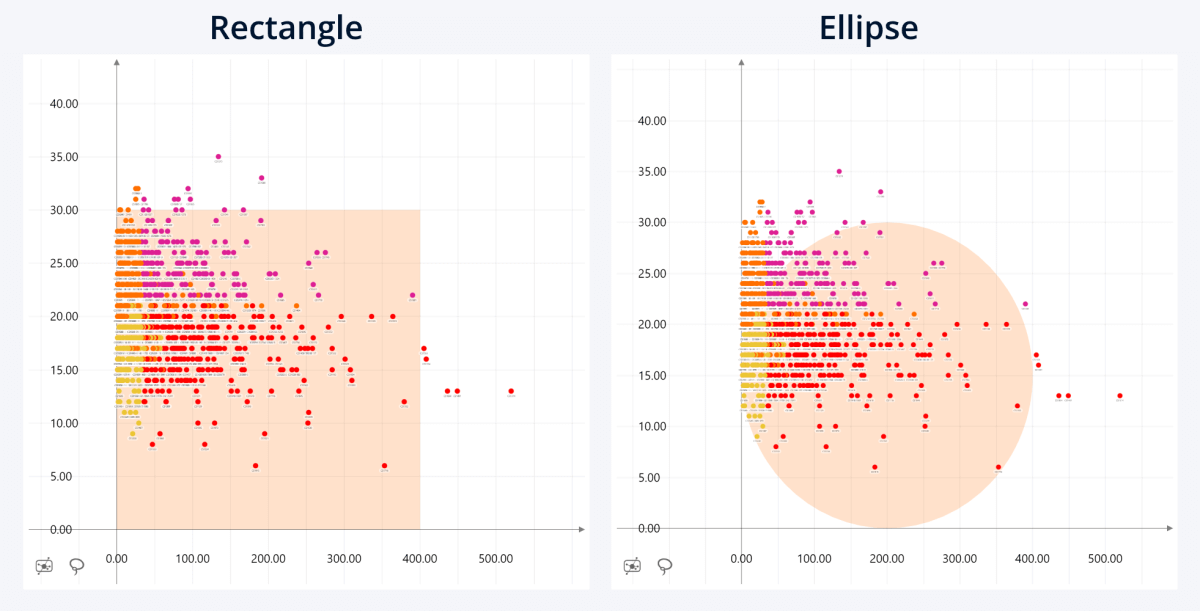
Choose the shape of the shaded area.
- Rectangle: The area will be displayed as a rectangle, using X-Axis Start and X-Axis End as the width, and Y-Axis Start and Y-Axis End as length. If either of these properties are set to Infinity, the rectangle will extend across the entire chart in your selected direction.
- Ellipse: The area will be displayed as an ellipse, using X-Axis Start and X-Axis End as vertices, and Y-Axis Start and Y-Axis End as co-vertices.
Was this helpful? Thank you for your feedback!
Sorry about that.
How can we improve it?