1096
Power BI B2B Sales Pipeline & Activity Dashboard
Power BI B2B Sales Pipeline & Activity Dashboard

More Report pages
Report Author: Brian Ochigbo Sule
1096
Share template with others
Summary
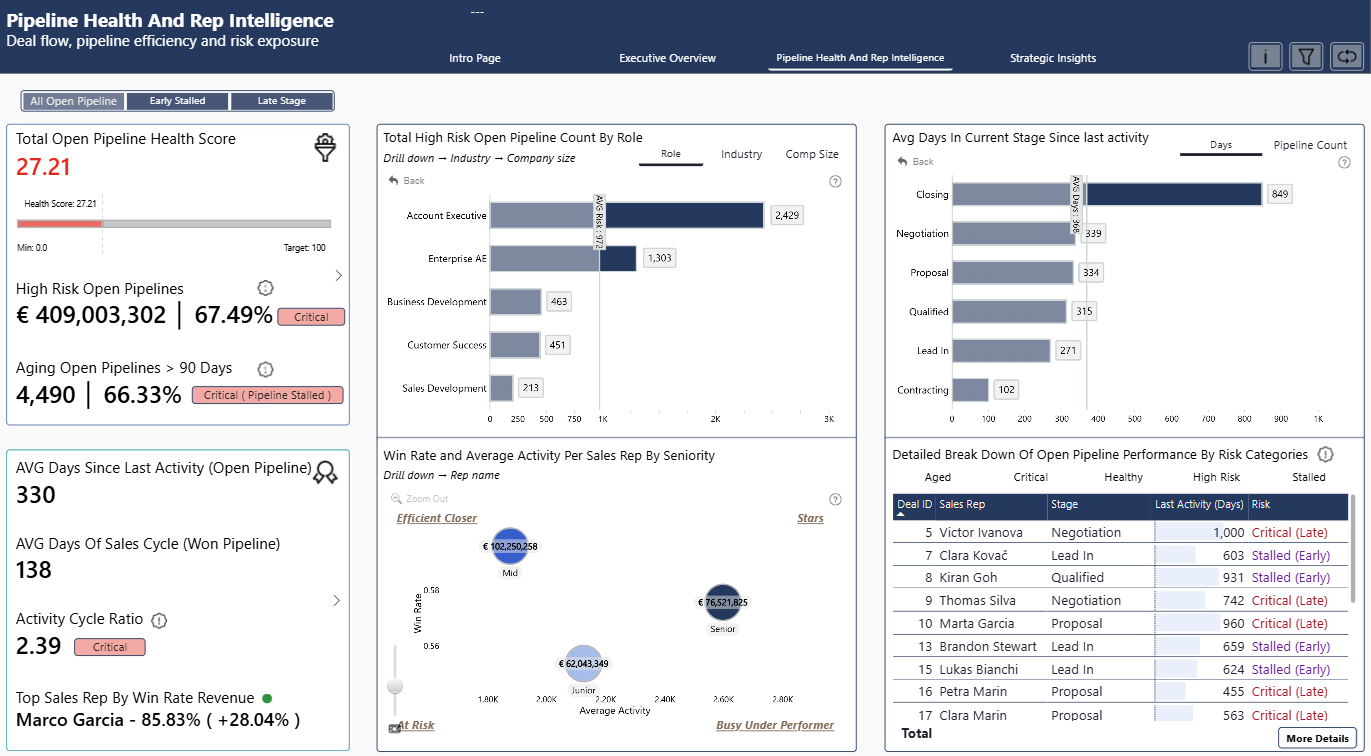
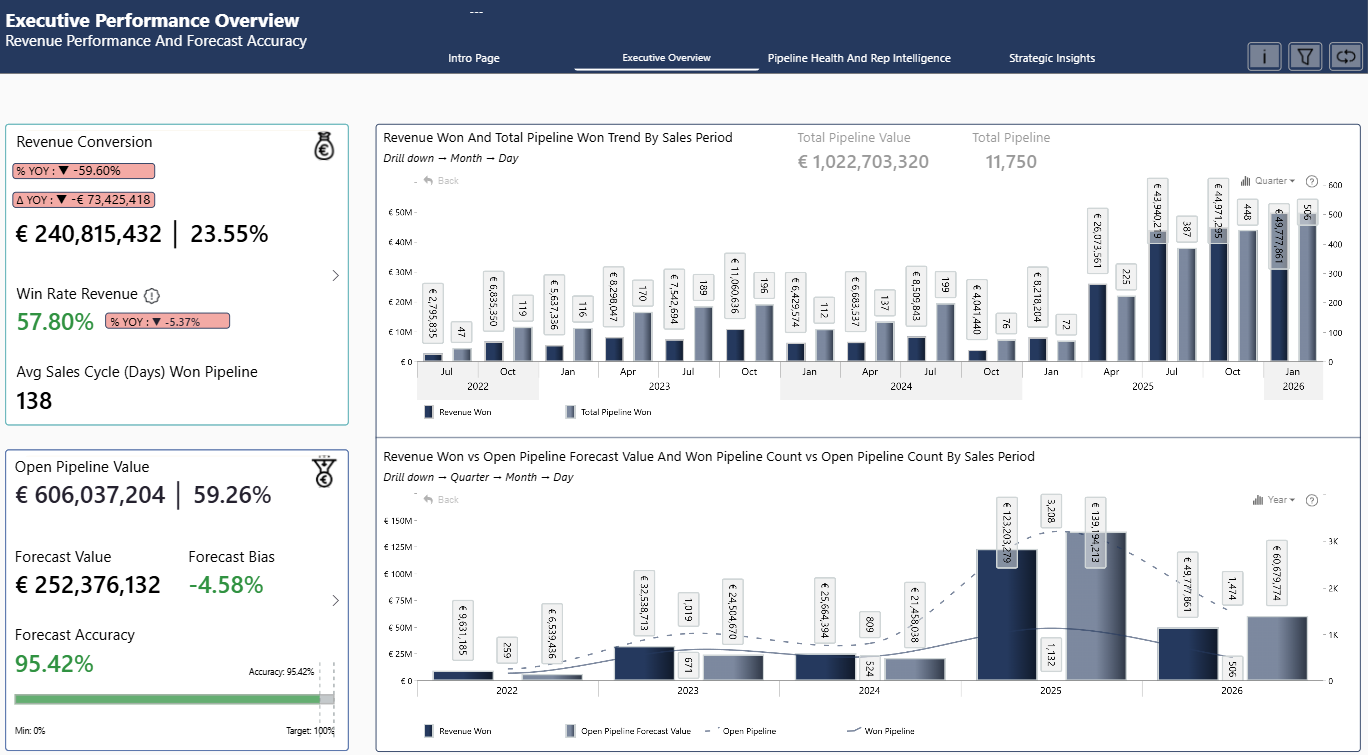
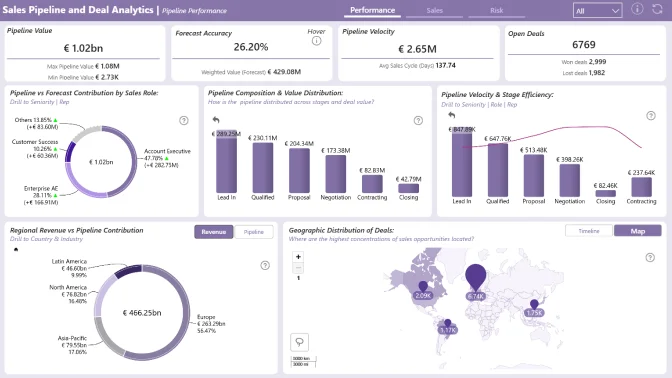
This Power BI B2B Sales Pipeline & Activity Dashboard helps sales managers, account executives, and business leaders monitor pipeline value, deal progression, sales activity, and client engagement. It provides an interactive view of pipeline health across regions and industries, making it easier to identify stalled or high-risk deals that may require attention.
Created by Brian Ochigbo Sule, this three-page Power BI report analyzes the Global B2B Sales Pipeline & Deals Analytics dataset. It was submitted to the FP20 Analytics ZoomCharts Data Challenge #35.
Key Insights of the Power BI B2B Sales Pipeline & Activity Dashboard
The dashboard brings pipeline performance and sales engagement data together in one report. Key areas of analysis include:
- Pipeline value: Examine the value of sales opportunities and compare pipeline performance across different business segments.
- Deal progression: Follow opportunities through the pipeline and see where deals are moving forward or slowing down.
- Sales activity: Analyze the activity surrounding active opportunities and customer accounts.
- Client engagement: Explore engagement patterns that provide context for deal progress and pipeline health.
- Stalled and high-risk deals: Identify opportunities that may need follow-up or closer review.
- Regional and industry performance: Compare sales pipeline activity across geographic markets and industries.
Drill Down Scatter PRO, Combo PRO, Combo Bar PRO, Map PRO, and Timeline PRO visuals provide several ways to explore deal relationships, trends, geographic performance, and changes over time.
How to Use This Power BI Sales Pipeline Dashboard
Click active chart elements to focus the report on relevant deals, regions, industries, and time periods. Use the interactive drill-down visuals to move from a pipeline overview to more detailed sales activity and opportunity analysis.
Download the .pbix template to examine the report layout, calculations, visual settings, and interactions. Replace the sample connection with your own sales or CRM data to adapt the dashboard for pipeline reviews and daily sales tracking.
ZoomCharts visuals used





4U Report Challenges
Participate in data challenges, build and submit reports to get free template downloads.
Join CommunityMobile view allows you to interact with the report. To Download the template please switch to desktop view.
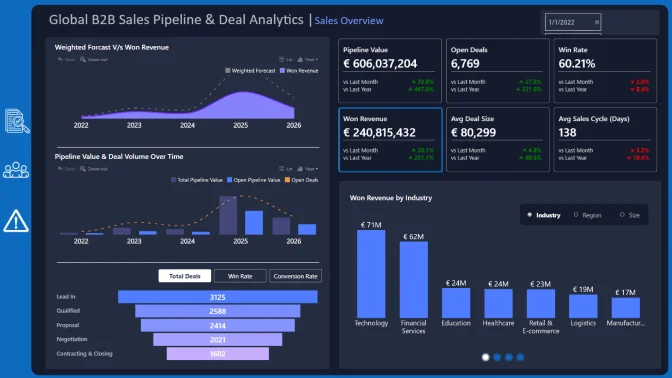
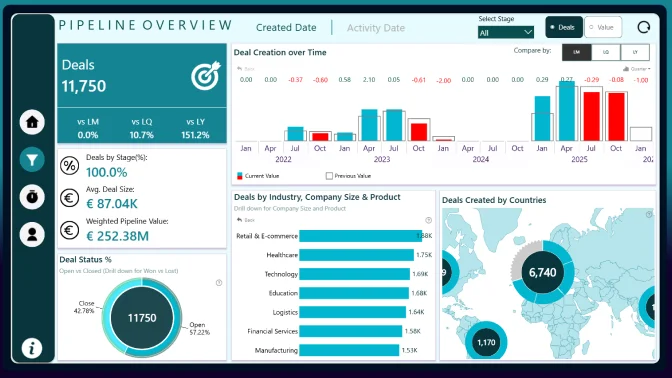
How to use a PBIX template
Preview the interactive report, download the PBIX file, open it in Power BI Desktop, and replace the same data connection with your own dataset.
Preview and download
Explore the report online and download the PBIX template file.
Open in Power BI Desktop
Open the downloaded PBIX file in Power BI Desktop.
Connect your data
Replace the sample data source with your own dataset.
Refresh and adjust
Refresh the model and update fields or visual were needed.
Save and share
Save your report and publish it for your audience.