592
Power BI Workforce Planning Insights Dashboard
Power BI Workforce Planning Insights Dashboard
More Report pages
Report Author: Nkechi Alexander
592
Share template with others
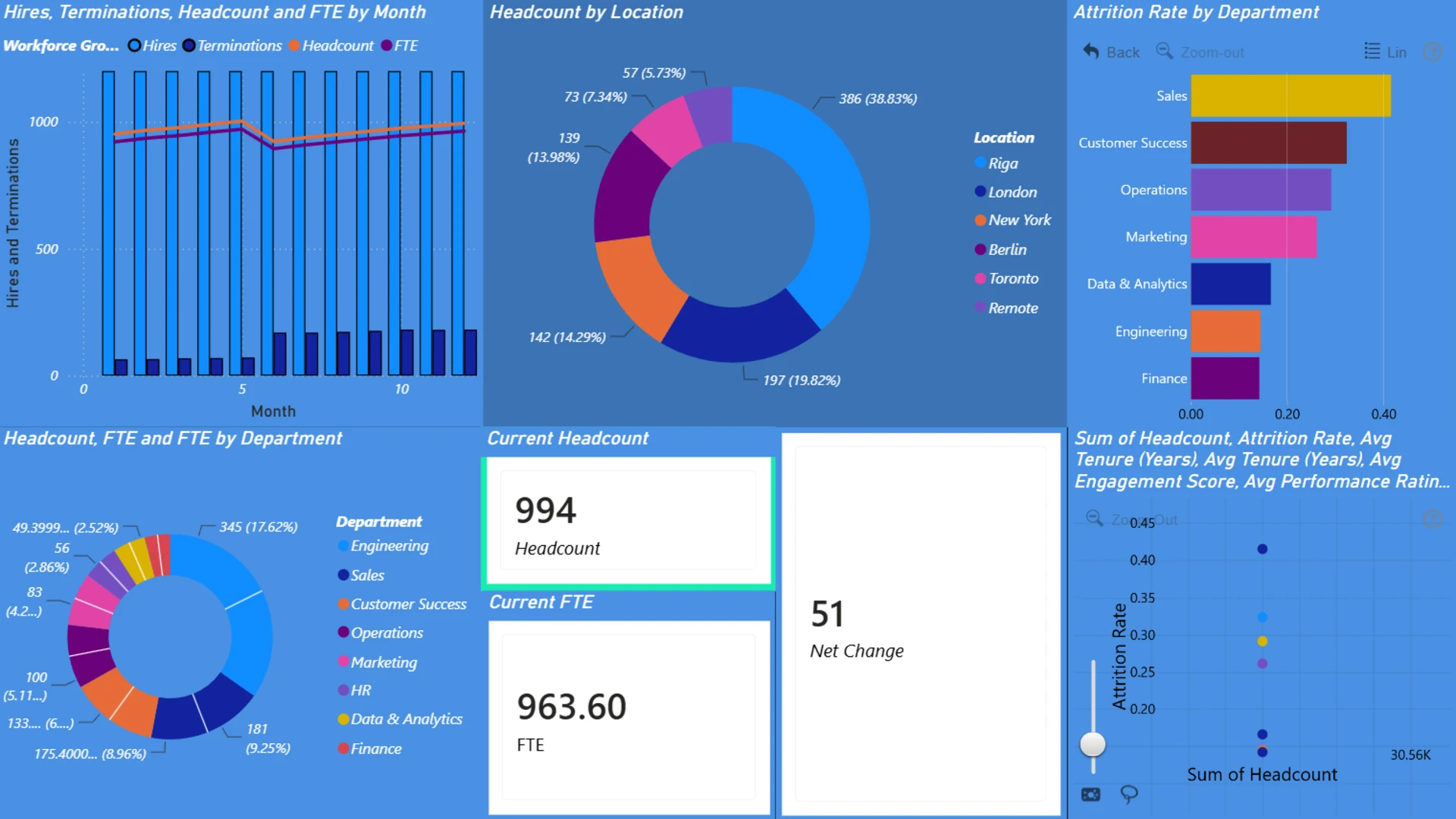
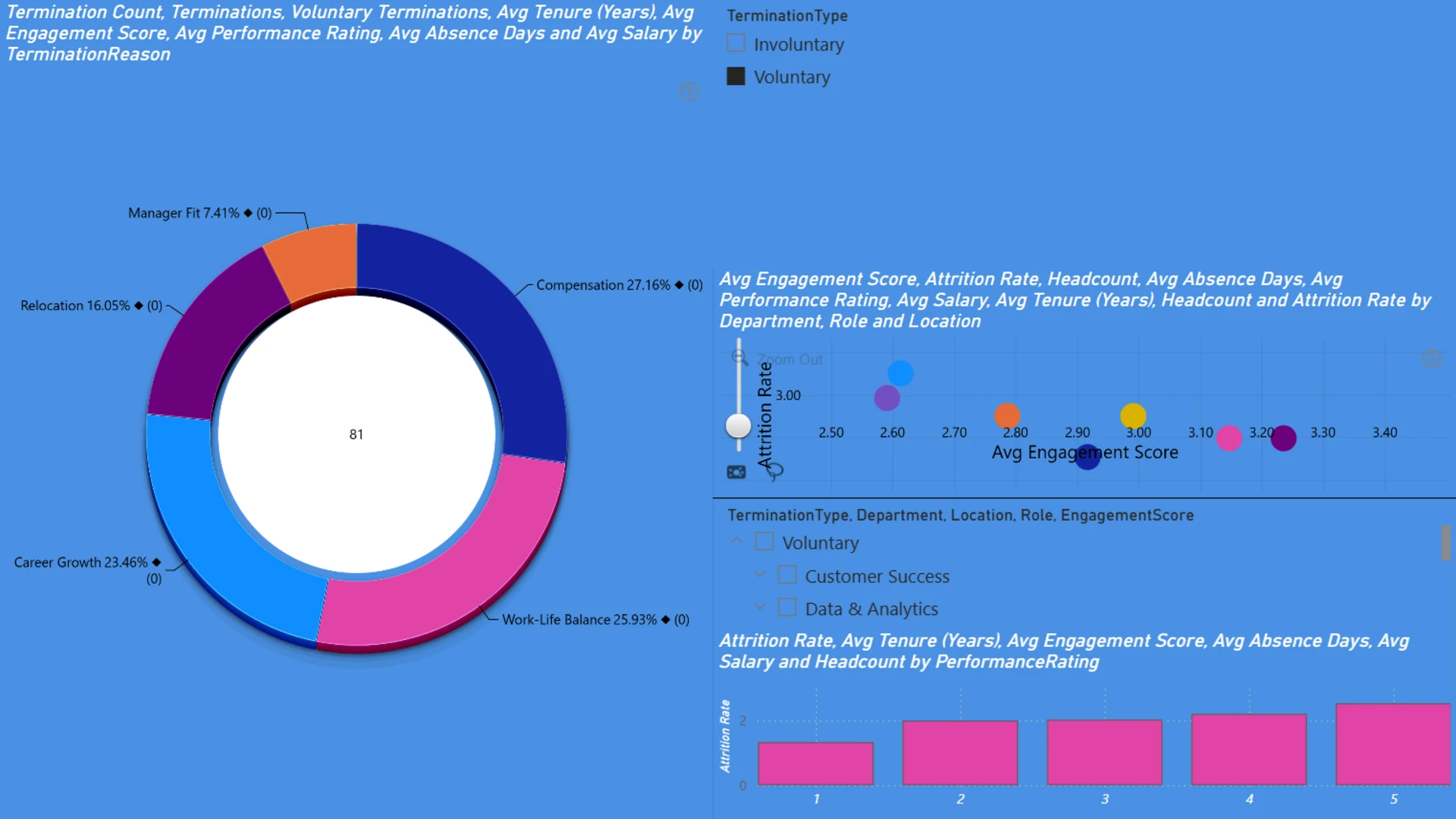
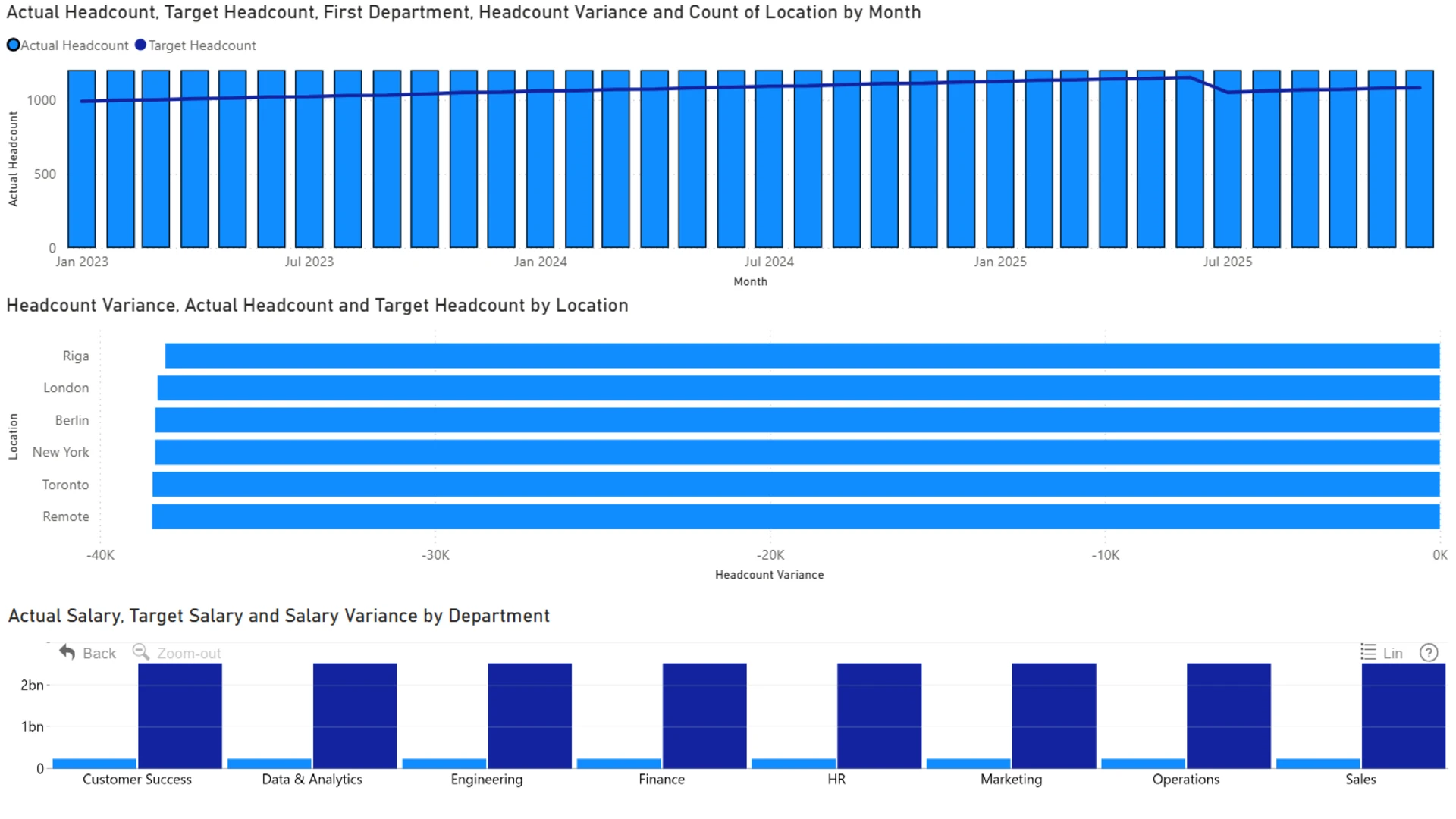
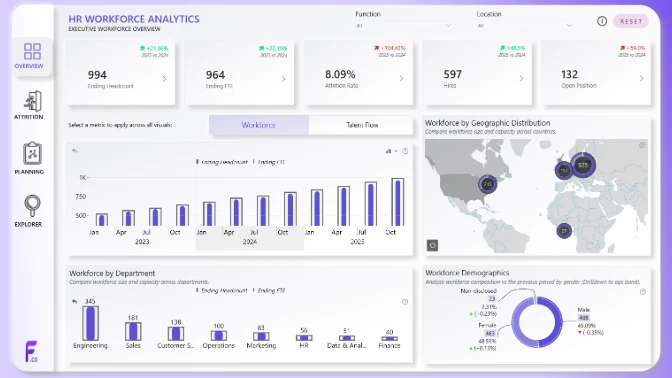
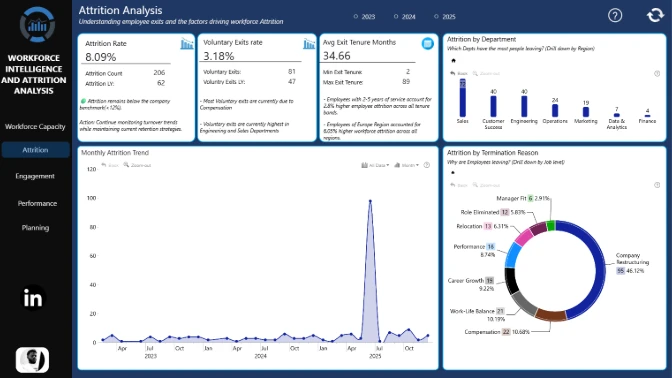
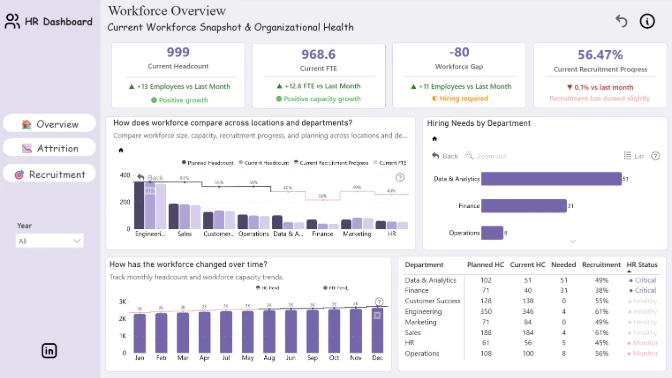
This report uses the HR workforce planning dataset from the ZoomCharts 4U Report Challenge July 2026 to deliver interactive insights into headcount planning, FTE trends, attrition patterns, and workforce target performance.
Author's Description:
This ZoomCharts Power BI Challenge invites participants to transform a comprehensive HR workforce dataset into an interactive, decision-ready analytics report. The dataset includes employee demographics, headcount trends, hiring and attrition, compensation, performance, engagement, absenteeism, recruitment, and workforce planning data. The goal is to design a dashboard that helps HR leaders monitor workforce health, compare actual headcount against hiring targets, identify attrition patterns, and uncover workforce risks. The final report should deliver clear, actionable insights that support strategic workforce planning and data-driven HR decision-making.
ZoomCharts visuals used




4U Report Challenges
Participate in data challenges, build and submit reports to get free template downloads.
Join CommunityMobile view allows you to interact with the report. To Download the template please switch to desktop view.
How to use a PBIX template
Preview the interactive report, download the PBIX file, open it in Power BI Desktop, and replace the same data connection with your own dataset.
Preview and download
Explore the report online and download the PBIX template file.
Open in Power BI Desktop
Open the downloaded PBIX file in Power BI Desktop.
Connect your data
Replace the sample data source with your own dataset.
Refresh and adjust
Refresh the model and update fields or visual were needed.
Save and share
Save your report and publish it for your audience.