150
Power BI Project Management Dashboard: Risk and Resource Allocation
Power BI Project Management Dashboard: Risk and Resource Allocation
More Report pages
Report Author: Kingsleyuten Uten
150
Share template with others
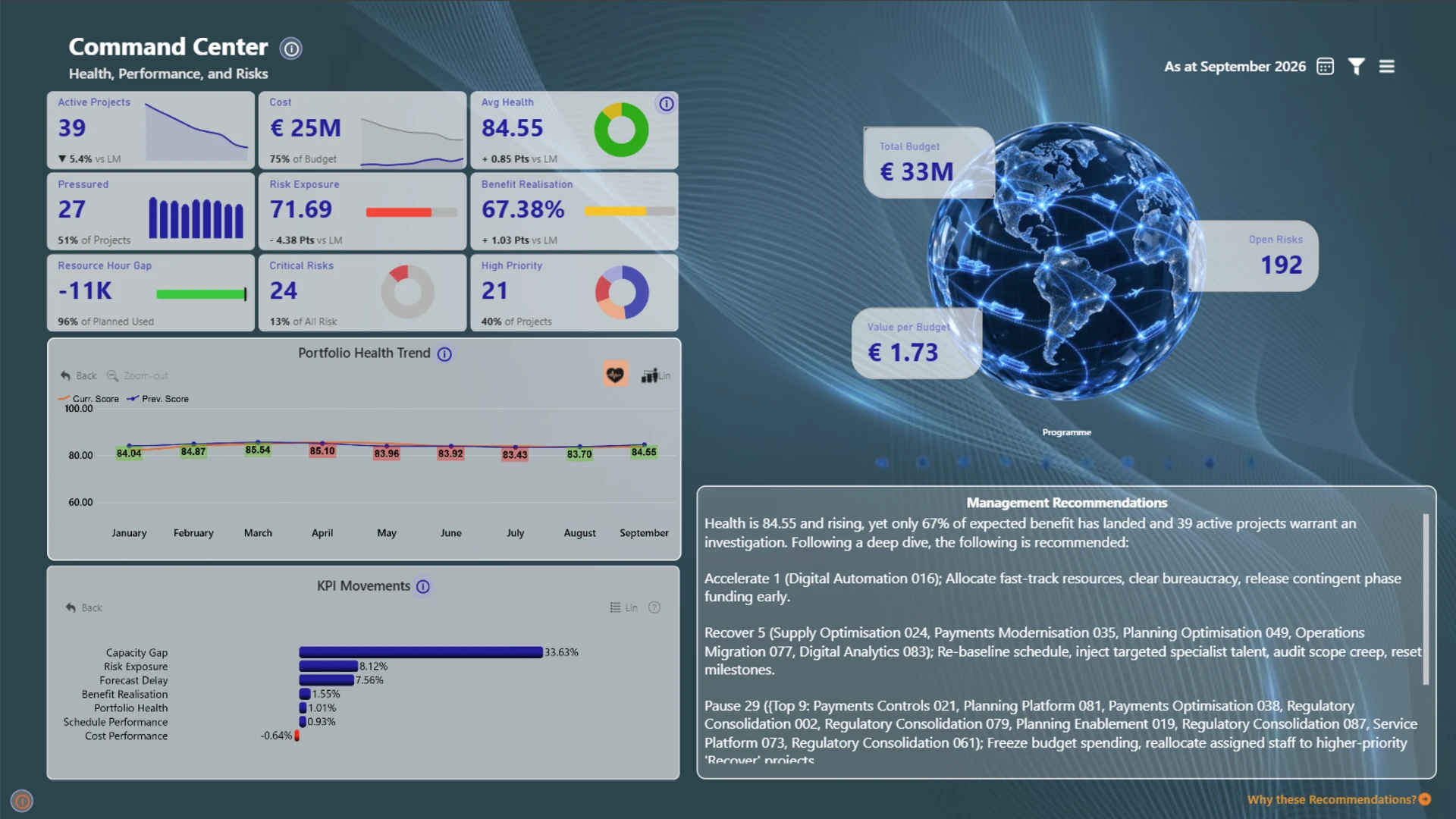
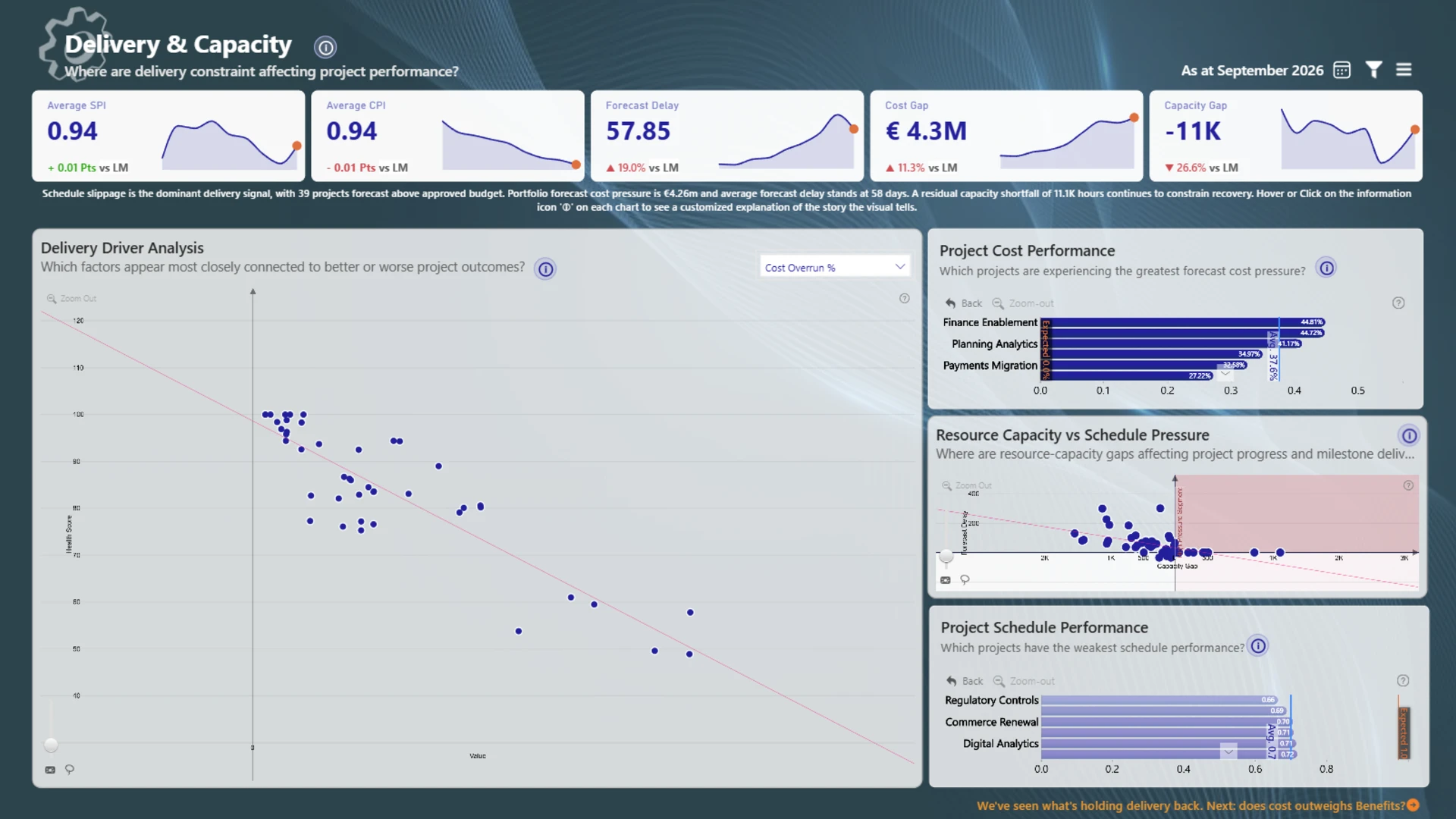
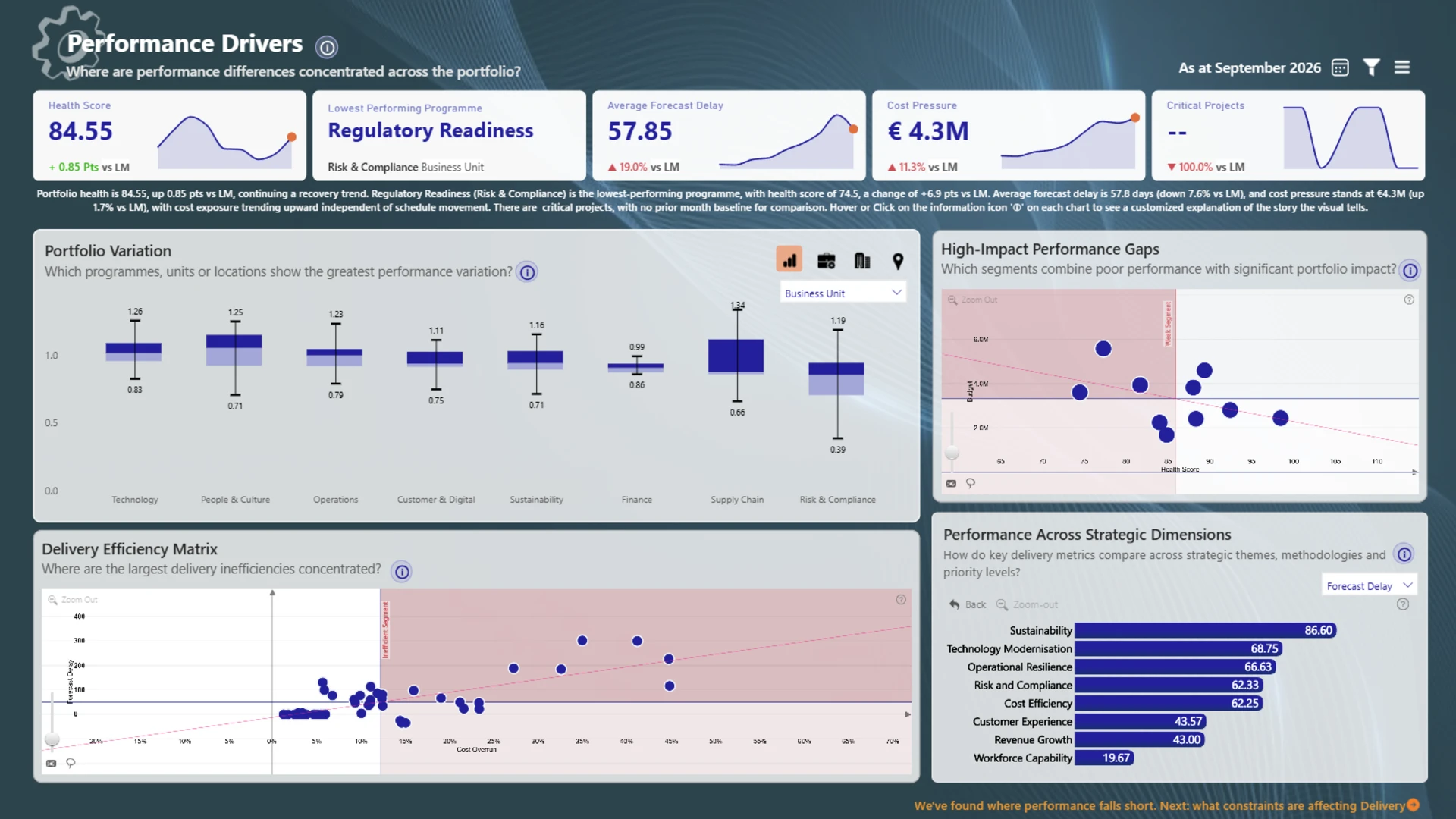
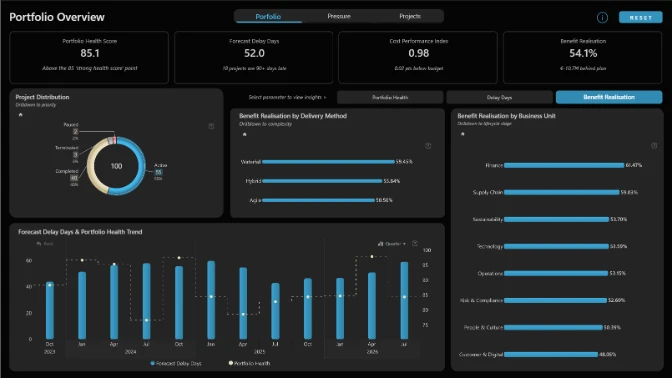
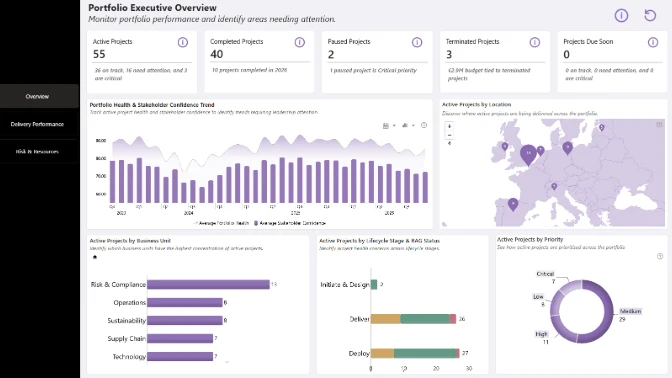
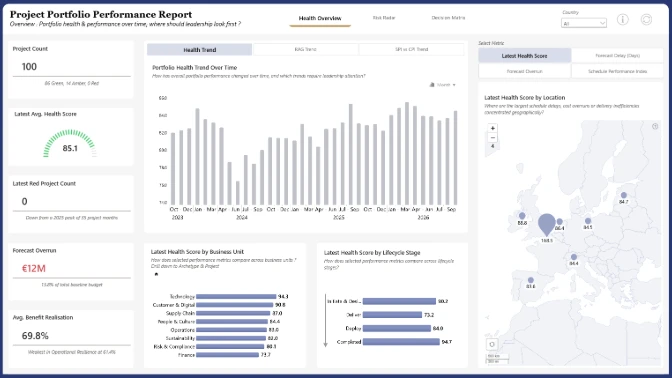
An interactive Power BI project management dashboard designed to turn portfolio performance data into actionable leadership decisions. Monitor project health, financial performance, resource capacity gaps, critical risks, and benefit realization through an executive command center. Explore portfolio health trends, track KPI changes, identify projects under pressure, and evaluate investment value against approved budgets. The report combines interactive Power BI data visualizations with management recommendations to help decision-makers prioritize recovery actions, optimize resource allocation, mitigate delivery risks, and determine which projects to accelerate, recover, pause, or terminate.
Built with Power BI and ZoomCharts Drill Down PRO visuals as part of the FP20 Analytics & ZoomCharts Challenge 41, focused on PMO Project Portfolio Data Analysis and Visualization.



4U Report Challenges
Participate in data challenges, build and submit reports to get free template downloads.
Join CommunityMobile view allows you to interact with the report. To Download the template please switch to desktop view.
How to use a PBIX template
Preview the interactive report, download the PBIX file, open it in Power BI Desktop, and replace the same data connection with your own dataset.
Preview and download
Explore the report online and download the PBIX template file.
Open in Power BI Desktop
Open the downloaded PBIX file in Power BI Desktop.
Connect your data
Replace the sample data source with your own dataset.
Refresh and adjust
Refresh the model and update fields or visual were needed.
Save and share
Save your report and publish it for your audience.