384
Power BI HR Dashboard for Attrition and Retention Planning
Power BI HR Dashboard for Attrition and Retention Planning
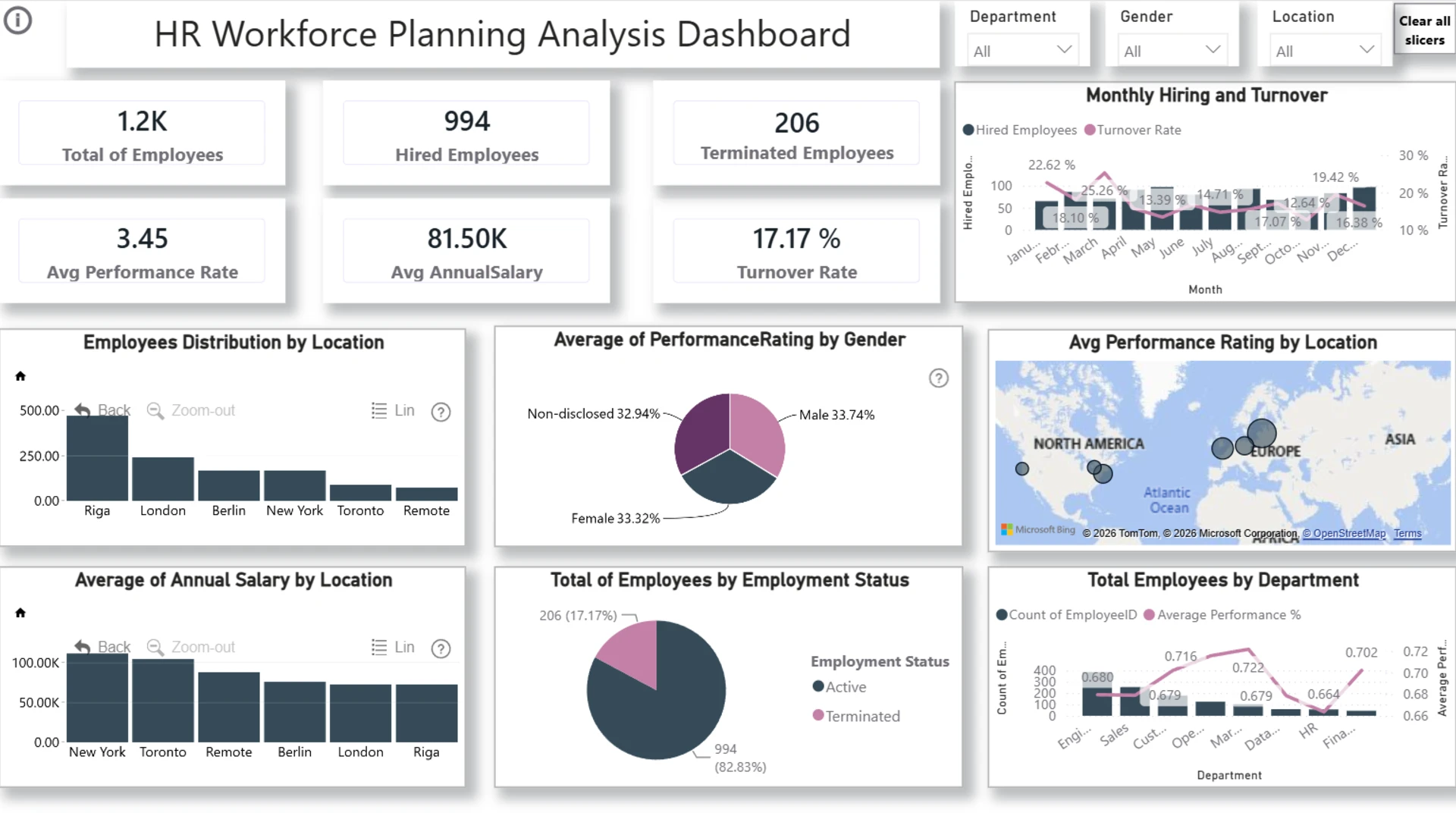
Report Author: Gharam Alamri
384
Share template with others
This Power BI report supports attrition and retention planning with the HR workforce planning dataset from the ZoomCharts 4U Report Challenge July 2026. It helps compare employee segments, workforce trends, and planning outcomes.
Author's Description:
Power BI was used to create this HR Workforce Planning Dashboard, which supports workforce planning by analyzing employee data. It offers important HR information like the number of employees, hiring, terminations, turnover rate, average compensation, and performance. Managers may make well-informed judgments by using interactive filters to examine the data by location, gender, and department.


4U Report Challenges
Participate in data challenges, build and submit reports to get free template downloads.
Join CommunityMobile view allows you to interact with the report. To Download the template please switch to desktop view.
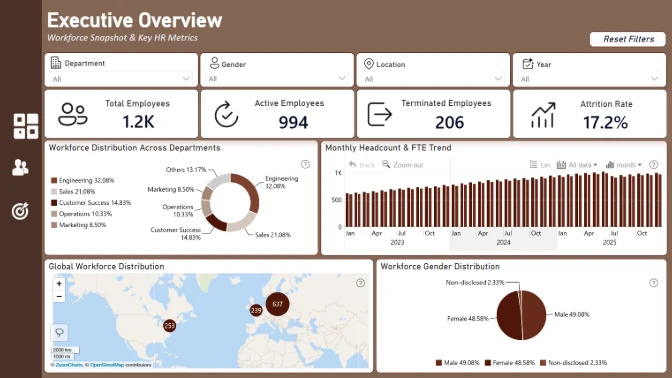
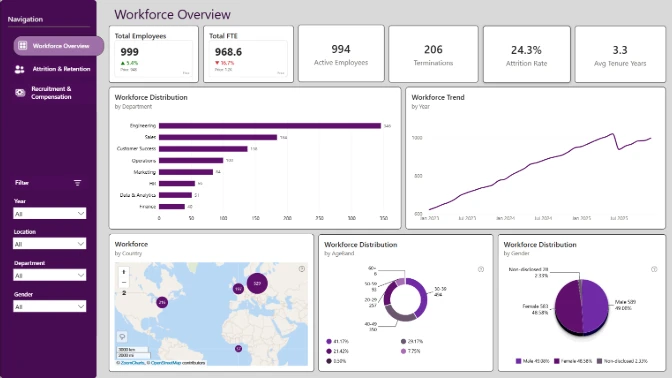
How to use a PBIX template
Preview the interactive report, download the PBIX file, open it in Power BI Desktop, and replace the same data connection with your own dataset.
Preview and download
Explore the report online and download the PBIX template file.
Open in Power BI Desktop
Open the downloaded PBIX file in Power BI Desktop.
Connect your data
Replace the sample data source with your own dataset.
Refresh and adjust
Refresh the model and update fields or visual were needed.
Save and share
Save your report and publish it for your audience.