328
Legal Practice Area Analytics Dashboard
Legal Practice Area Analytics Dashboard
More Report pages
Report Author: Giao Nguyen
328
Share template with others
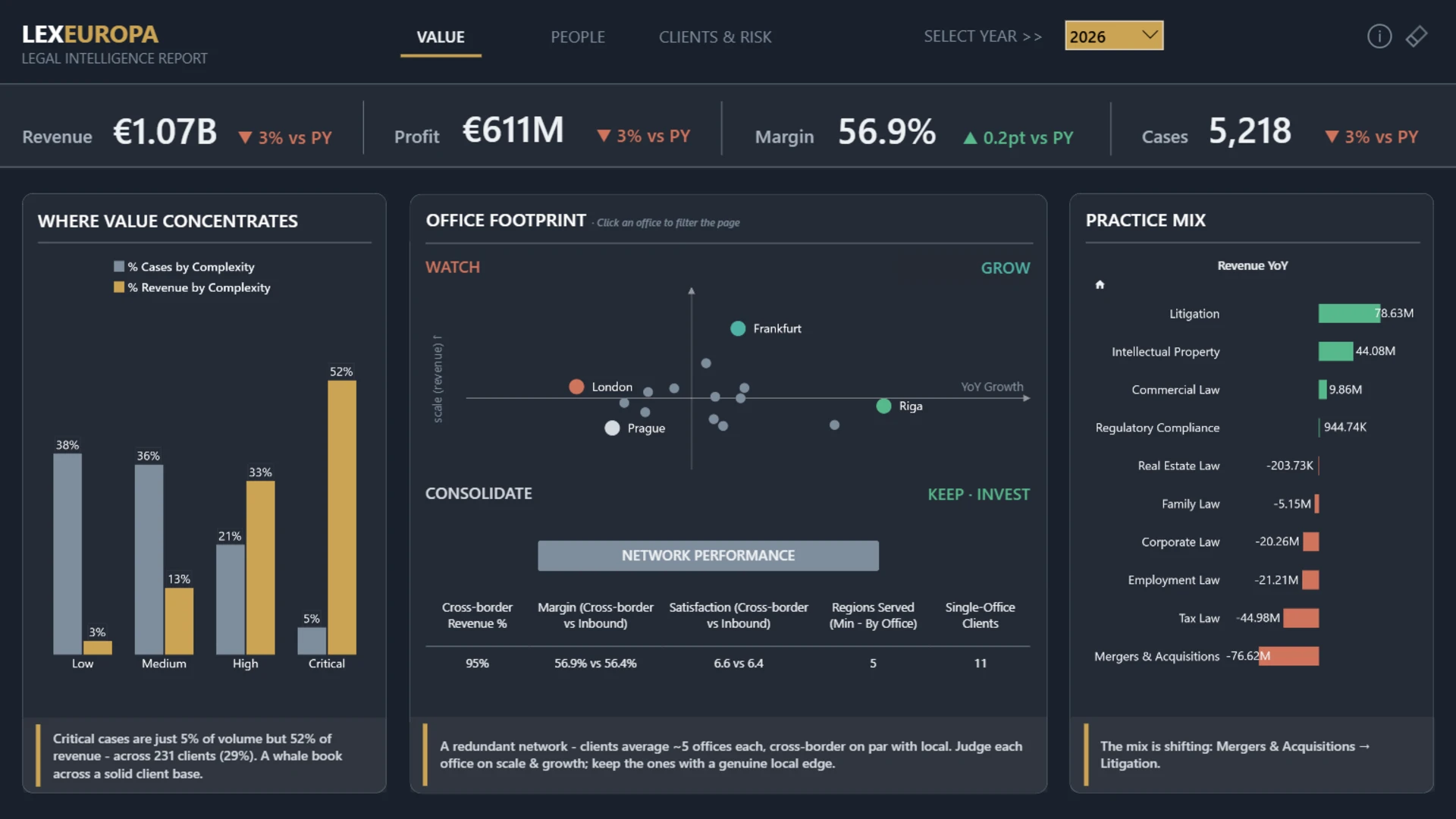
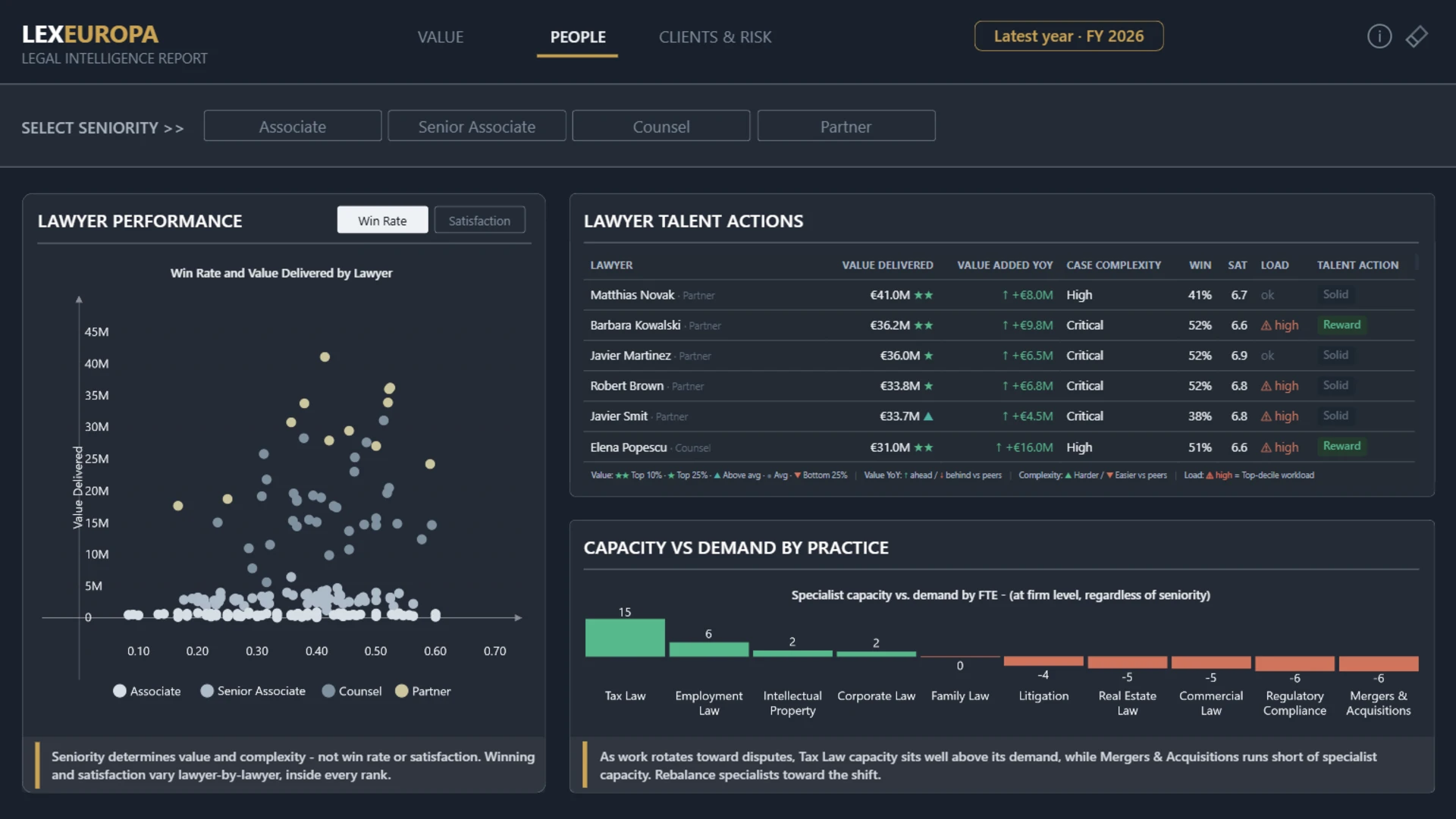
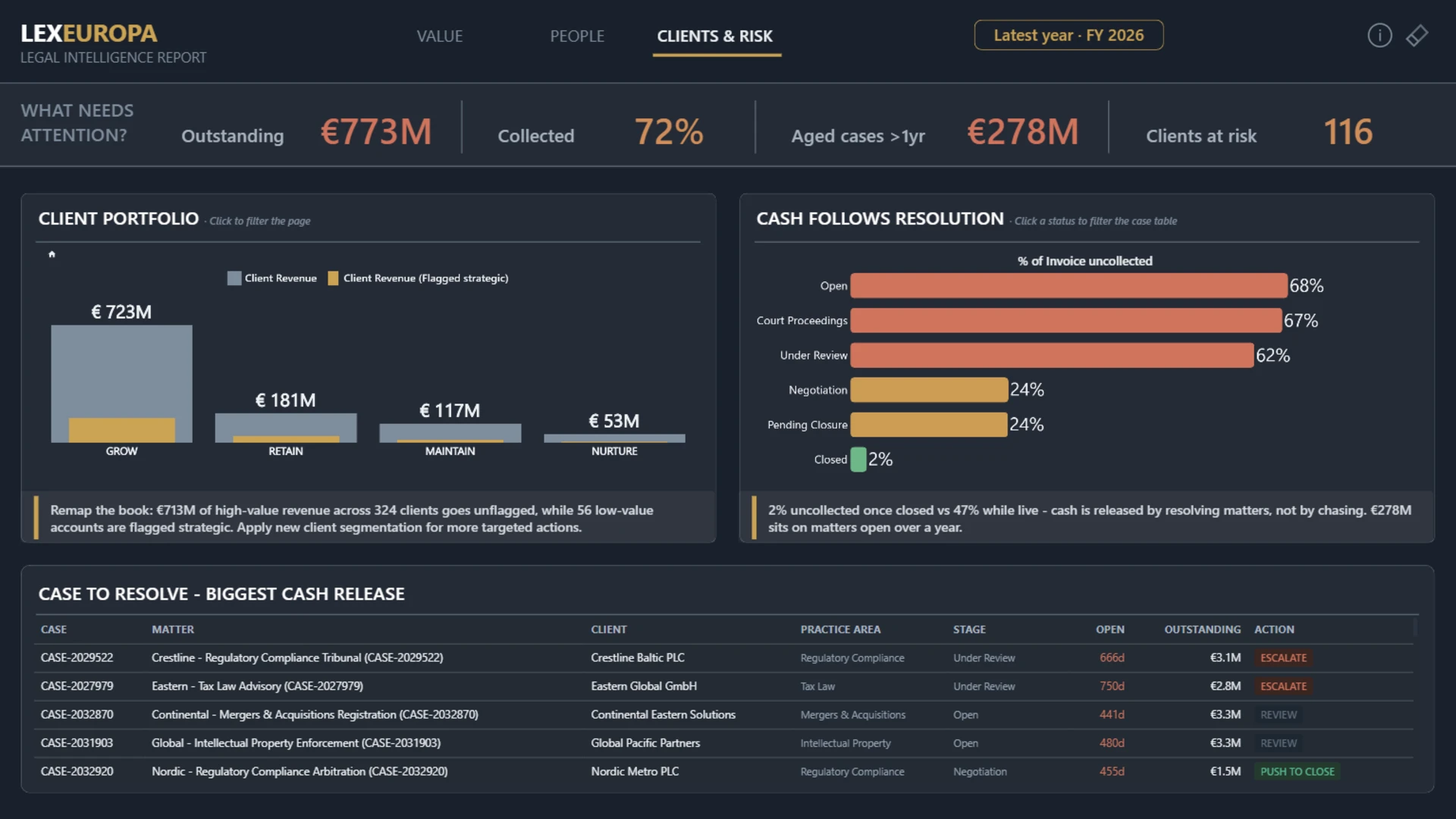
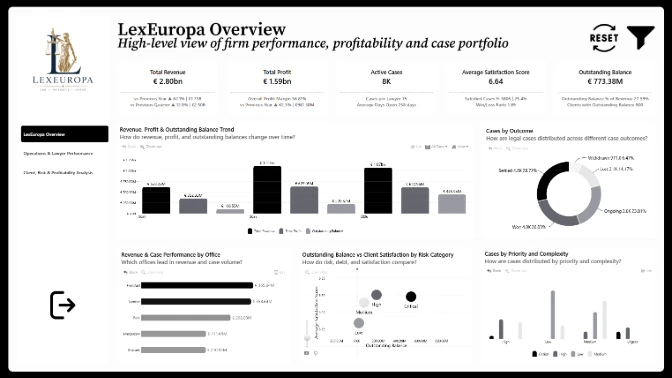
Explore legal practice area analytics for revenue, profit, case outcomes, risk, complexity, workload, client value, satisfaction, and office performance.
Author’s Description:
A three-page interactive decision-support report built around three leadership questions: Where does value come from? Who delivers it? Which clients and cash need attention? The report brings together value, people, clients, risk, capacity, and receivables into a guided exploration, using ZoomCharts drill-down visuals to move from the big picture into the details. Dynamic headlines respond to user selections, making the report feel like reusable intelligence rather than a static snapshot. Built with a dark "intelligence terminal" design system and transparent methodology notes, it is designed to encourage investigation, not simply display data.
ZoomCharts visuals used




4U Report Challenges
Participate in data challenges, build and submit reports to get free template downloads.
Join CommunityMobile view allows you to interact with the report. To Download the template please switch to desktop view.
How to use a PBIX template
Preview the interactive report, download the PBIX file, open it in Power BI Desktop, and replace the same data connection with your own dataset.
Preview and download
Explore the report online and download the PBIX template file.
Open in Power BI Desktop
Open the downloaded PBIX file in Power BI Desktop.
Connect your data
Replace the sample data source with your own dataset.
Refresh and adjust
Refresh the model and update fields or visual were needed.
Save and share
Save your report and publish it for your audience.