247
Customer Support Cost Analysis Dashboard in Power BI
Customer Support Cost Analysis Dashboard in Power BI
More Report pages
Report Author: Agbata Dickson Ukolojo
247
Share template with others
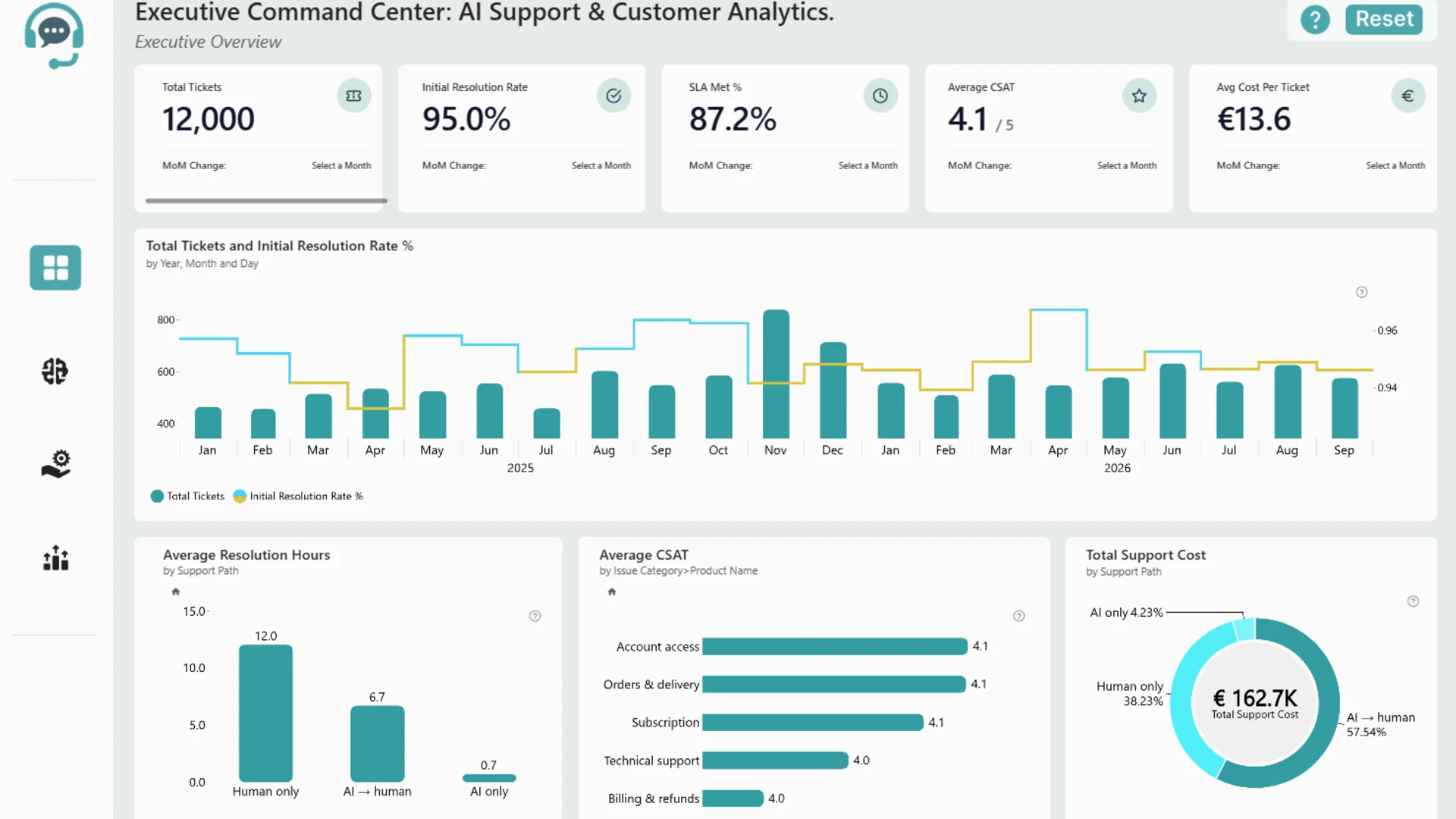
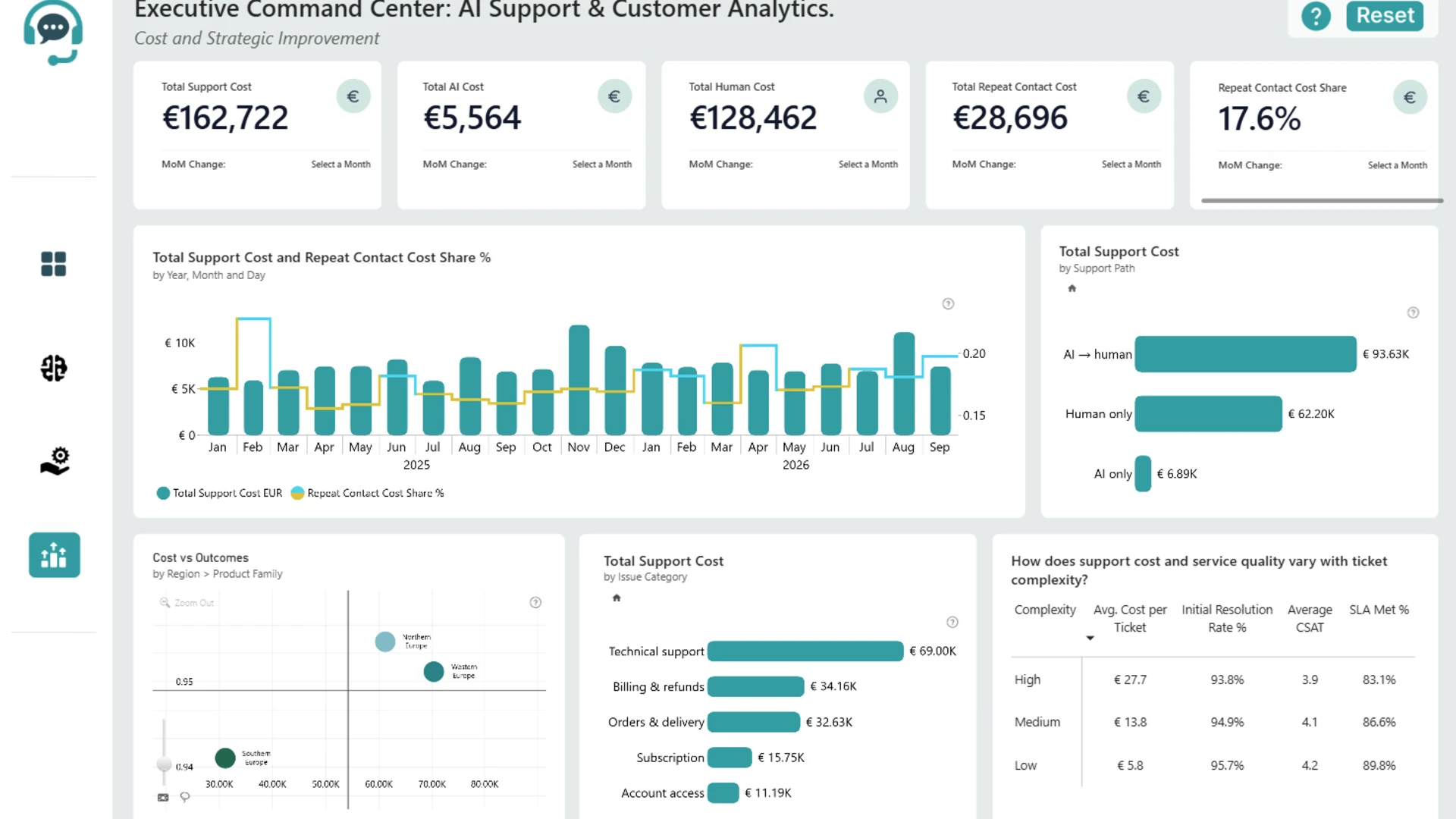
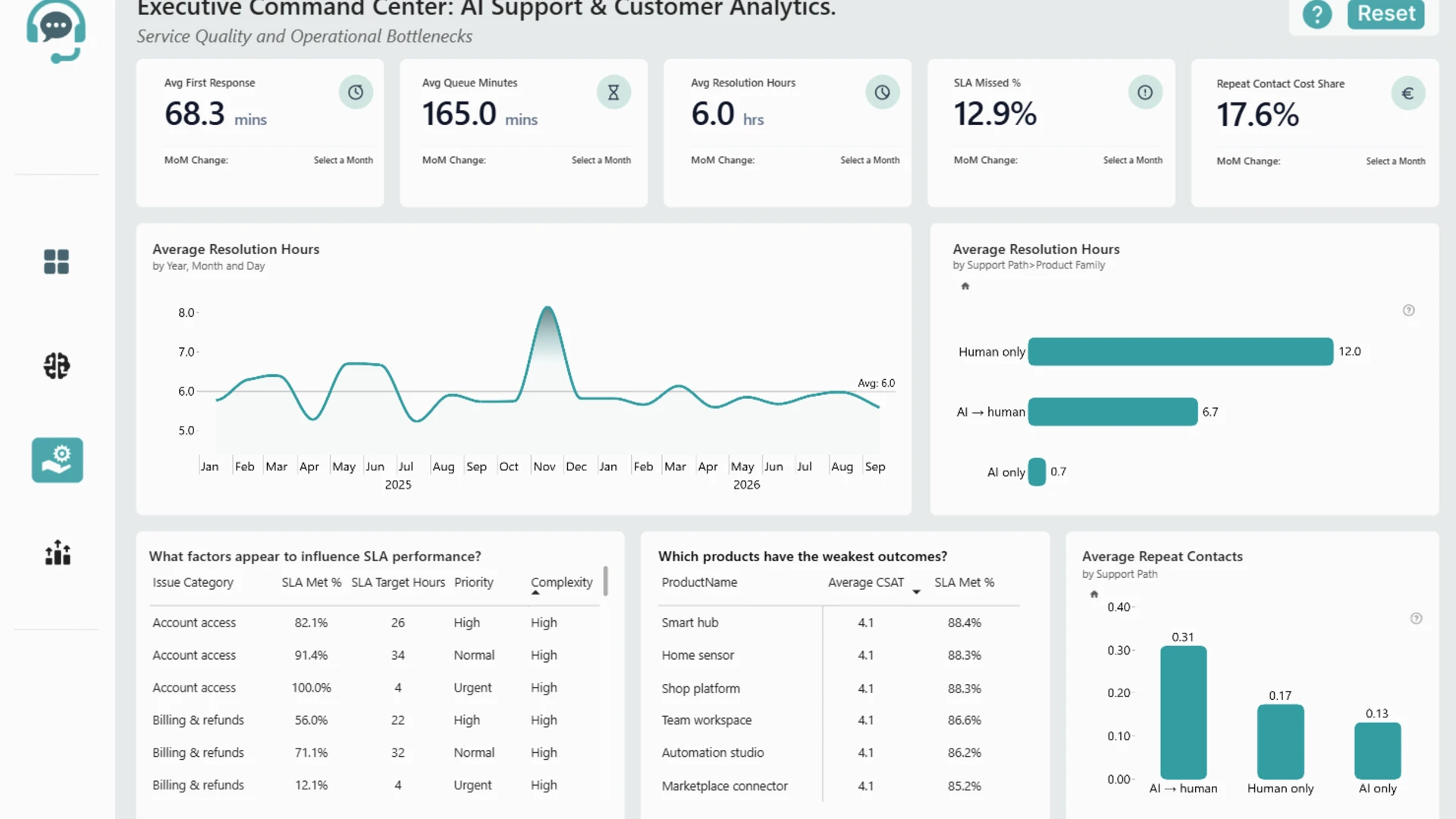
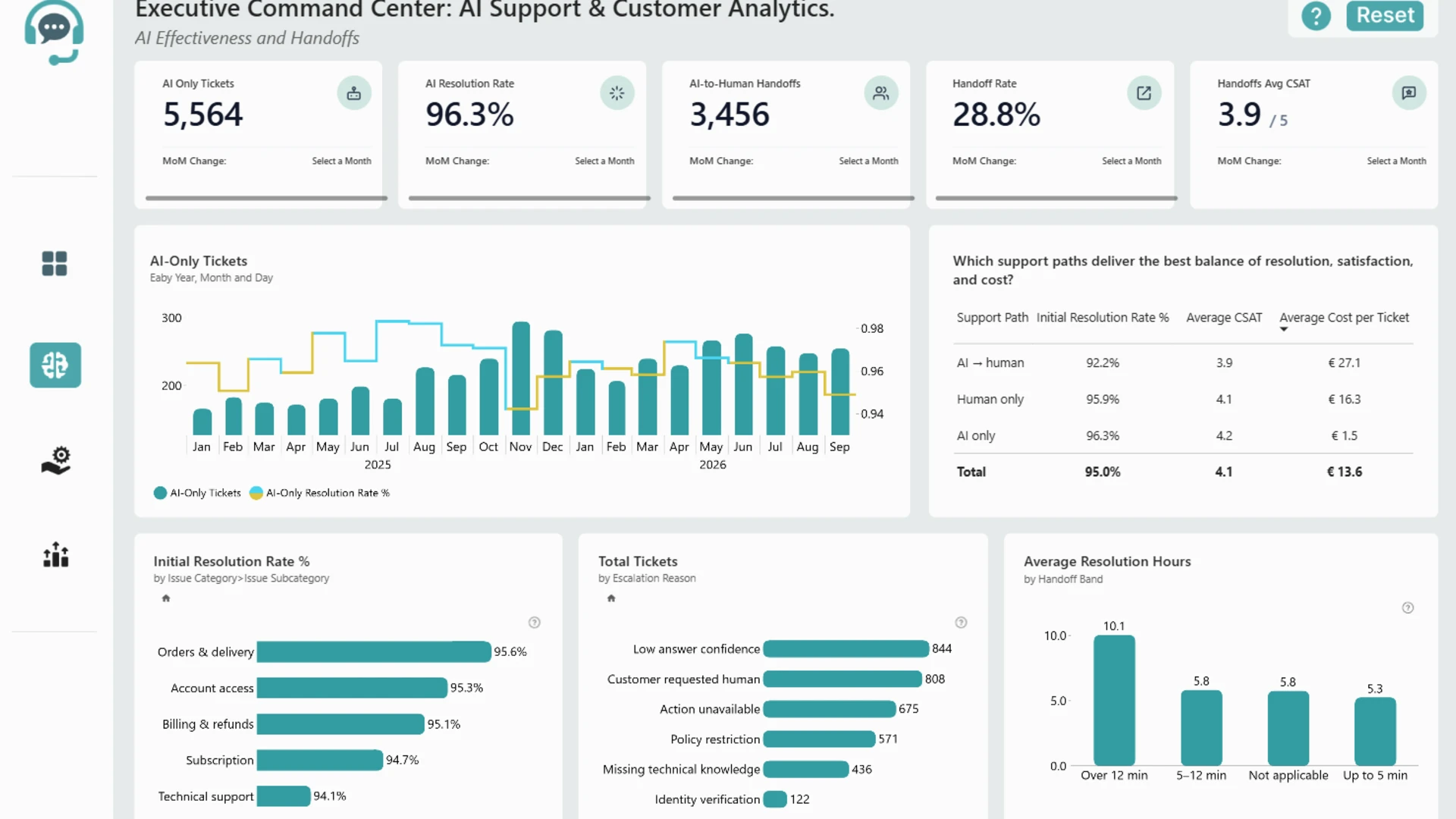
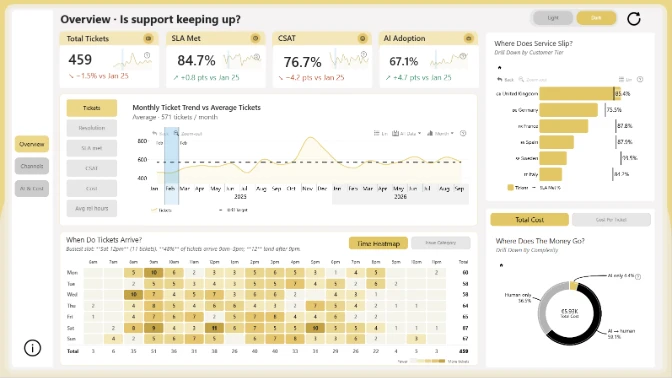
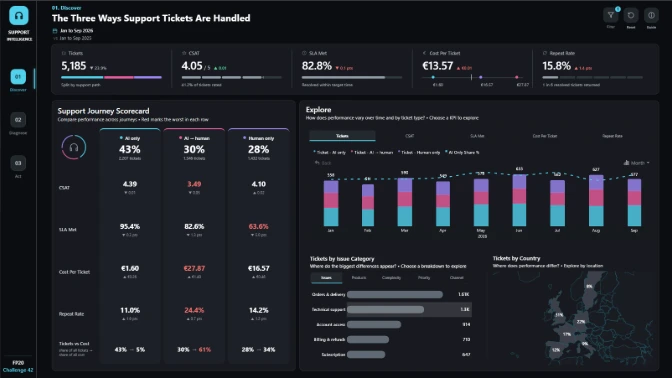
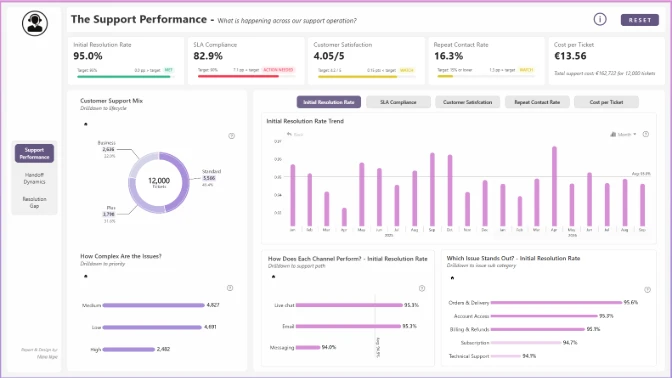
Explore this interactive Power BI customer support cost analysis dashboard to monitor service expenses, compare AI and human support costs, and identify opportunities for cost optimization. Analyze total support spending, repeat contact costs, and monthly cost trends. Compare expenses across AI-only, AI-to-human, and human-only support journeys, and explore cost distribution by issue category and geographic region. Evaluate how ticket complexity affects cost per ticket, customer satisfaction (CSAT), initial resolution rates, and SLA compliance to improve customer service efficiency and support strategic decisions.
This Power BI report was created for the FP20 Analytics & ZoomCharts Challenge 42, focused on AI Agent & Customer Support Analytics.



4U Report Challenges
Participate in data challenges, build and submit reports to get free template downloads.
Join CommunityMobile view allows you to interact with the report. To Download the template please switch to desktop view.
How to use a PBIX template
Preview the interactive report, download the PBIX file, open it in Power BI Desktop, and replace the same data connection with your own dataset.
Preview and download
Explore the report online and download the PBIX template file.
Open in Power BI Desktop
Open the downloaded PBIX file in Power BI Desktop.
Connect your data
Replace the sample data source with your own dataset.
Refresh and adjust
Refresh the model and update fields or visual were needed.
Save and share
Save your report and publish it for your audience.


