967
Customer Relationship Management Dashboard
Customer Relationship Management Dashboard
Report Author: Andreas Miftakhul Pratama
967
Share template with others
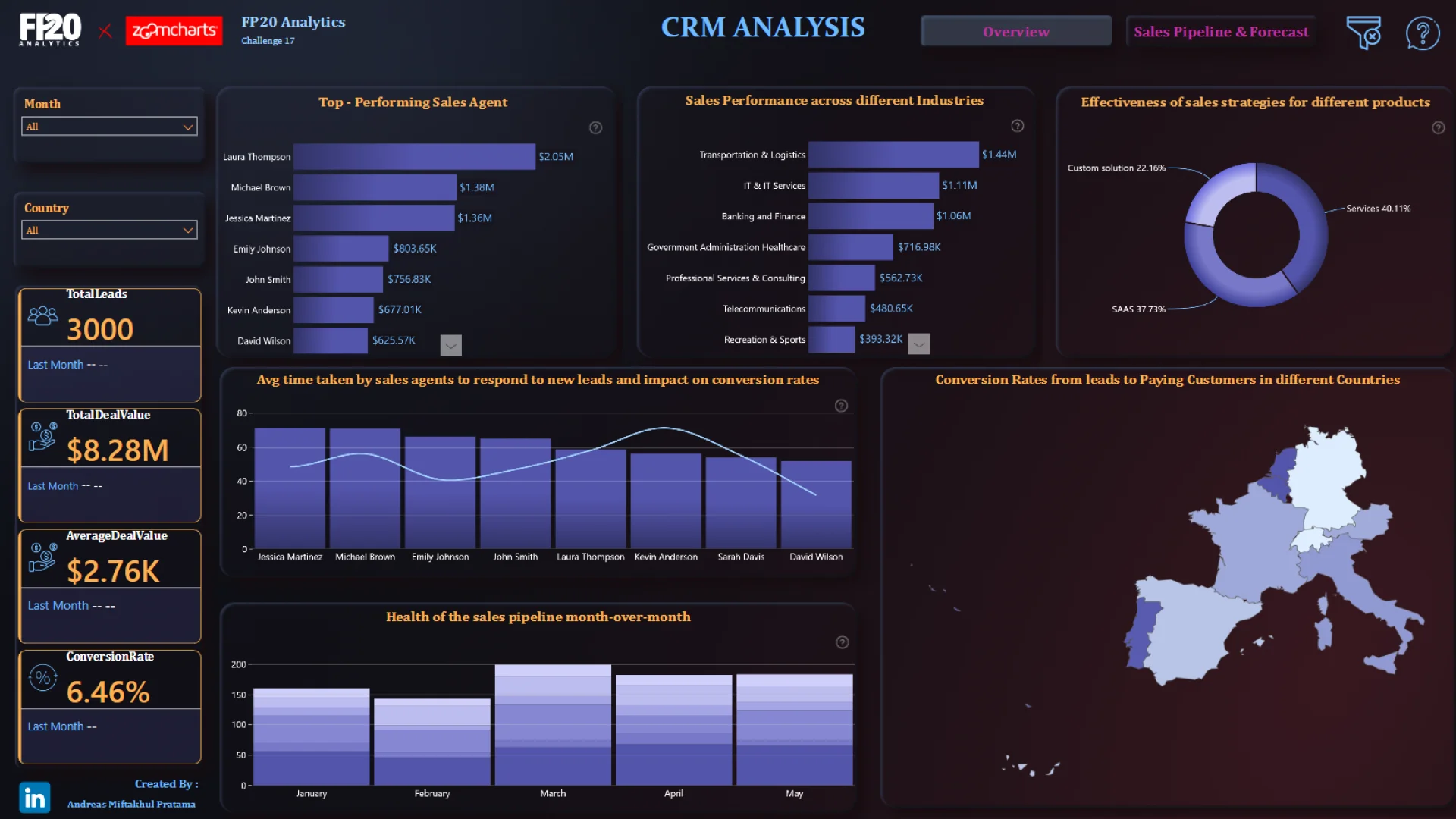
This Customer Relationship Management Dashboard helps users analyze CRM performance, monitor customer activity, track sales opportunities, and review relationship management metrics.
Report submitted for FP20 Analytics ZoomCharts Challenge 17 (July 2024). The report was built with the CRM & Sales Pipeline Analysis dataset and includes ZoomCharts Drill Down PRO visuals for Power BI in combination with native visuals.
Author's description:
This project aims to provide a deep insight into the sales team's performance and sales strategy effectiveness using CRM (Customer Relationship Management) data analysis.



4U Report Challenges
Participate in data challenges, build and submit reports to get free template downloads.
Join CommunityMobile view allows you to interact with the report. To Download the template please switch to desktop view.
How to use a PBIX template
Preview the interactive report, download the PBIX file, open it in Power BI Desktop, and replace the same data connection with your own dataset.
Preview and download
Explore the report online and download the PBIX template file.
Open in Power BI Desktop
Open the downloaded PBIX file in Power BI Desktop.
Connect your data
Replace the sample data source with your own dataset.
Refresh and adjust
Refresh the model and update fields or visual were needed.
Save and share
Save your report and publish it for your audience.